| Publishers | The Learning Company |
| Developers | The Learning Company |
| Release date | 1999 |
| Genre | Educational |
| Game rating |
Game Description
The ClueFinders 6th Grade Adventures: Empire of the Plant People is a computer game released in June 8, 1999. In it, Owen and Leslie must investigate a secret underground civilization of intelligent plant life in order to rescue Joni and Santiago.
Download The ClueFinders 6th Grade Adventures: The Empire of the Plant People
We might have the game available for more than one platform. The ClueFinders 6th Grade Adventures: The Empire of the Plant People is currently available on these platforms:
Windows (1999)
The_ClueFinders_6th_Grade_Adventures_The_Empire_of_the_Plant_People_Win_ISO_EN.zip (406.9MB)
The_ClueFinders_6th_Grade_Adventures_The_Empire_of_the_Plant_People_Win_ROM_EN.zip (485MB)
How to play on Windows
- Download and Extract The_ClueFinders_6th_Grade_Adventures_The_Empire_of_the_Plant_People_Win_ROM_EN..zip
- Mount “CLUE6-4KiDS.bin” and run “SETUP.EXE”. Note: If setup does not launch, go to the “INSTALL” folder and run “SETUP32.EXE”.
- Follow on-screen instructions to install the game.
- Play the game!
Additional files, patches and fixes
The ClueFinders 6th Grade Adventures: The Empire of the Plant People Windows Manual (English)
The ClueFinders 6th Grade Adventures: The Empire of the Plant People Screenshots
Windows

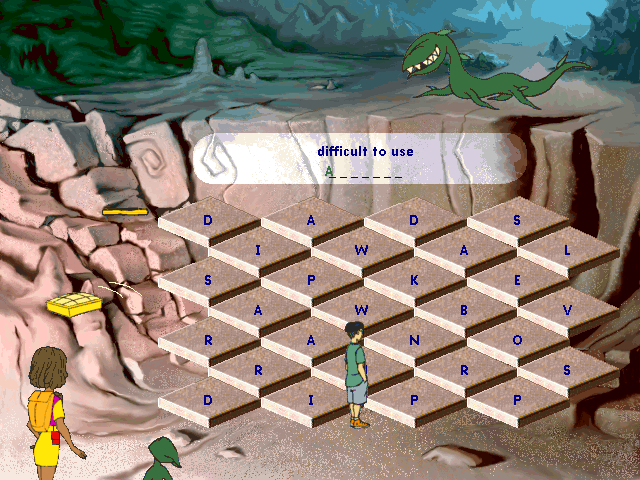
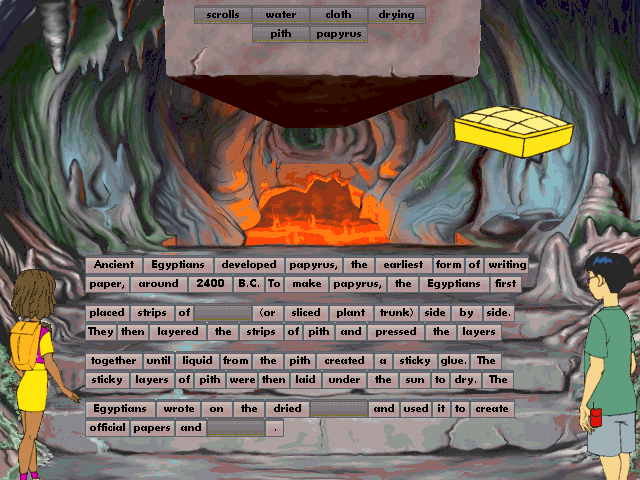
https://drive.google.com/drive/folders/1-L8jBUmsC19gtRA5KZYy4iLQNSsnstHT?usp=drive_link
due note if you wont original copy please email me at [email protected].
the original 2002 build, has the screen resolutions up by 800 x 600. also wing32.dll is a stub unlike the 1999 versions. it is native directdrew.
https://github.com/FunkyFr3sh/cnc-ddraw/issues/316
my upgrades installer has now included FunkyFr3sh / cnc-ddraw.
6.8, i am upgraded them to the plan 7.2 for improved scooby bugman support.
1. Download the files
2. Unzip the files
3. Download a virtual drive mounting program (I used Daemon Tools Lite)
4. Mount the CLUE6-4KIDS.bin file to a drive. (This should show the old CD icon in windows explorer, acting like the CD was inserted)
5. Right Click > Install (install should work, may get errors about being incompatible with 64 bit windows at end, this is okay)
6. Right-Click > Properties > Compatibility mode > Set compatibility mode for windows 98 (I also changed some other settings, just mess with them until it works) on “C:Program Files (x86)The Learning CompanyThe ClueFinders 6th Grade AdventuresCF6.exe”
7. Click on the .exe to start the game!