| Publishers | Disney Interactive, Inc. |
| Developers | TerraGlyph Interactive Studios, L.P. |
| Release date | 2000 |
| Genre | Educational |
| Game rating |
Game Description
Have a howlin’ good time with Disney’s 102 Dalmatians! Disney Interactive’s 102 Dalmatians: Activity Center brings the beloved new generation of puppies to life through lots of spots of game play experiences that have something for everyone – arcade action for fast-paced fun logic games to challenge your wits and creative activity to let your imagination run wild. Activities include virtual adopt-a-puppy. Choose an adorable pup to be your companion as you tour international parks from London to Tokyo! Chow Time. Race to feed all 102 hyperactive and hungry puppies before they mob the kitchen! Operation: Dalmatian. Gather clues from the Parisian Twilight Bark gang to help find the stolen puppies! Main Map. Utilize the main map to access different activities identify local monuments and learn fun facts! Verdogo in Le Pelt’s bakery. Save all 102 puppies from Cruella and her evil gang by using different weapons like frosting butter or the jelly squirter. Product features. Choose from four adorable virtual puppies to be your companion at international parks. In the pup art gallery, you can make works of art with both classical and contemporary creations. Get clues from the Parisian Twilight Bark gang to find the stolen puppies! In Le Pelt’s bakery you must help Oddball collect all the puppies before the evil Cruella, Alonzo, or Le Pelt capture her. Race to free all 102 hyperactive and hungry puppies before they devour the kitchen in Chow Time.
Download Disney’s 102 Dalmatians Activity Center
We might have the game available for more than one platform. Disney’s 102 Dalmatians Activity Center is currently available on these platforms:
Windows (1999)
Disneys_102_Dalmatians_Activity_Center_Win_ISO_EN.zip (296.6MB)
Additional files, patches and fixes
Disney’s 102 Dalmatians Activity Center Screenshots
Windows
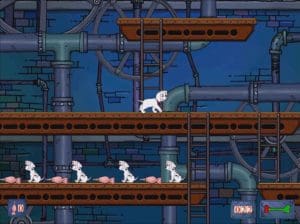
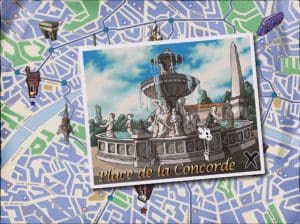

0
“Thank Biskut for the help, It worrked. But I am going to give more specific solution as I had difficult time following your instruction. what you should do, is going to the drive where you have windows folder (let’s say it‘s C). So you go to C:\Windows\SysWOW64\InstallShield\Setupdir
after that you create a folder and name it 0809 (be careful, you should name it exactly like that for the Installation to work). Now after you created the 0809 folder in that specific location, you should copy (_Setup.DLL) file from another 0809 folder located in Game Installation folder to the 0809 folder you created. (That another 0809 folder located exactly in Game Installation Folder then: Setup\setupdir\0809). after that you should be ready to go. I hope this helped. ^_^
Sorry for any inconvenience as English is not my first language.”
I haven’t started the game yet, but it helped me get the install running.
0
0
0
0
0
0
0
Extract all the files in the iso to anywhere(Folder on Desktop is easiest)
Navigate to setup -> Game -> HD -> Dalmatians.exe
This will open the game but not really installed in the manor we all know.
Press the spacebar to start moving the cursor if not visible.
Don’t tab out as this will break the graphics on the game.
This is not a full solution but it might help those who just want to play it
0
0
Extract the file and the error will go away