| Publishers | THQ, Nick Games |
| Developers | Human Soft, AWE Games |
| Release date | 2002 |
| Genre | Action |
| Game rating |
Game Description
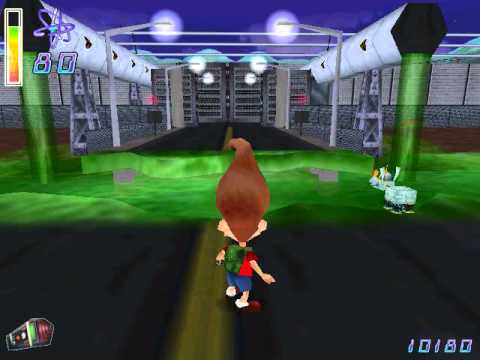
Jimmy Neutron Boy Genius has gotten himself in a completely new world of trouble, or should we say “new dimension of trouble?” In The Adventures of Jimmy Neutron, Boy Genius: Jimmy Neutron Vs Jimmy Negatron, Jimmy accidentally warps himself into a parallel dimension, switching places with his evil alter ego — Jimmy Negatron! With Jimmy Negatron running loose in Retroville, Jimmy Neutron will need all of his inventions and smarts to figure a way back home, save his friends, and restore his town back to normal!
Download Jimmy Neutron vs. Jimmy Negatron
We might have the game available for more than one platform. Jimmy Neutron vs. Jimmy Negatron is currently available on these platforms:
Windows (2002)
Jimmy_Neutron_vs_Jimmy_Negatron_Win_ISO_EN.zip (199.4MB)
Additional files, patches and fixes
Jimmy Neutron vs. Jimmy Negatron Screenshots
Windows


0
0
then start the game using Autorun.exe
0
you have to mount the autorun file with ultruiso and then virtual drive is created
go in the dive that created and . wait all of thet instal it with autorun.exe . now click right on jimynotron and click properties and compability and than active these option run this program for window xp service pack 2 and active (disable full screen optimization) and active (run this program as an adminitrature)
now run the game from where you installed it with original icon not autoran.
have fun but before it thanks me and know that iranian dont speak arabic and we or any shia muslim are not terrorist and dont forget
DO NOT FALL FOR ISRAIL PROPAGANDA thanks (IDK WHY I SAY THAT
0
this game is a trip
0
0
0
0
The problem is: It’s running in the background.
0
you have to mount the autorun file with ultruiso and then virtual drive is created
go in the dive that created and . wait all of thet instal it with autorun.exe . now click right on jimynotron and click properties and compability and than active these option run this program for window xp service pack 2 and active (disable full screen optimization) and active (run this program as an adminitrature)
now run the game from where you installed it with original icon not autoran.
have fun but before it thanks me and know that iranian dont speak arabic and we or any shia muslim are not terrorist and dont forget
DO NOT FALL FOR ISRAIL PROPAGANDA thanks (IDK WHY I SAY THAT
0
0
you have to mount the autorun file with ultruiso and then virtual drive is created
go in the disc that created and . wait before all of that instal it with autorun.exe . now click right on jimynotron and click properties and compability and than active these option run this program for window xp service pack 2 and active (disable full screen optimization) and active (run this program as an adminitrature)
now run the game from where you installed it with original icon not autoran.
have fun but before it thanks me and know that iranian dont speak arabic and we or any shia muslim are not terrorist and dont forget
DO NOT FALL FOR ISRAIL PROPAGANDA thanks (IDK WHY I SAY THAT
0
0
0
you have to mount the autorun file with ultruiso and then virtual drive is created
go in the dive that created and . wait all of thet instal it with autorun.exe . now click right on jimynotron and click properties and compability and than active these option run this program for window xp service pack 2 and active (disable full screen optimization) and active (run this program as an adminitrature)
now run the game from where you installed it with original icon not autoran.
have fun but before it thanks me and know that iranian dont speak arabic and we or any shia muslim are not terrorist and dont forget
DO NOT FALL FOR ISRAIL PROPAGANDA thanks (IDK WHY I SAY THAT
0