| Publishers | Atari Europe S.A.S.U. |
| Developers | W!Games |
| Release date | 2007 |
| Genre | Sports |
| Game rating |
Game Description
Almost every girl at some point in their life dreams of riding or owning a horse. They share a special friendship that is nurtured through riding, training, and caretaking. This unique horse experience is now captured in computer and video game form by My Horse & Me.
Features:
- Enjoy all the excitement of an equestrian life with this fun simulation game
- Take part in competitions at indoor and outdoor locations around the globe
- Rewarding horse-care game play, leisure riding, and extensive customization
- Exceptionally accurate horse models and animations; variety of mini games
- Official FEI license; play in 1st- or 3rd-person view; multiplayer mode
Download My Horse & Me
We might have the game available for more than one platform. My Horse & Me is currently available on these platforms:
Windows (2007)
My_Horse_and_Me_Win_ISO_EN.zip (3.5GB)
Additional files, patches and fixes
My Horse & Me Screenshots
Windows

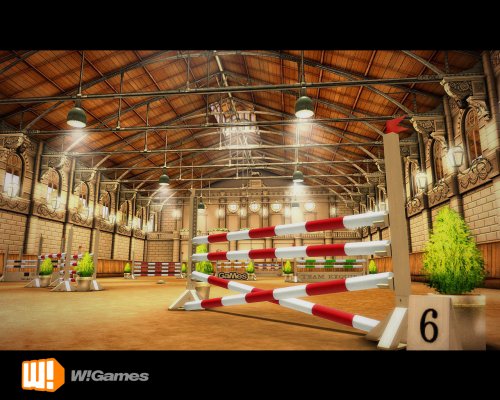
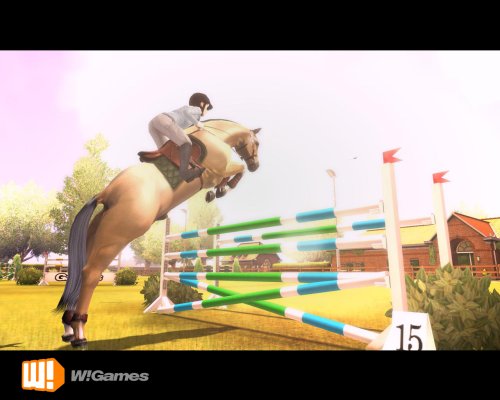
0
0
0
0
0
0
0
0
0
So this is what I did, https://www.tagesprotection.com/main.htm?page=minimum.htm update these drivers. Then it all got really simple, almost silly. Right click the mounted file, choose Open, click your way through the folders, and just simply double click the file named “ThePonyGame” when you find it. Bam, the game started and ran smoothly for hours, after some resolution changes of course.
Hope this will help, I know all of y’all frustration. Next step for me will be the 2nd game, wish me luck xD
0
0
0
0
0
go to this website https://rus-game.net/My%20Horse%20and%20Me%20%5BRUS%5D%20%D1%81%D0%BA%D0%B0%D1%87%D0%B0%D1%82%D1%8C%20%D0%B1%D0%B5%D1%81%D0%BF%D0%BB%D0%B0%D1%82%D0%BD%D0%BE.html and click “Скачать торрент” in the end of the page.
once it’s done installing, you have to mount BOTH the .mdf file in the beginning of the folder, and the .mdf file in the NODVD folder. for the latter it’s going to say it’s corrupted but don’t worry, it’s still going to work.
then on the mounted .mdf click on autorun – this is also what you’re going to use to play the game, not the icon it creates on your Desktop.
install the game as normal, use google translate if you’d like.
now go back to the autorun and click the first tab. it may take a few tries but as long as both .mdf files are mounted as i stated, it will eventually work.
to play you ALWAYS have to mount both files in whatever order.
hope this helps 🙂
btw: copy the entire link above, for some reason disqus cuts it in half.
0
0
0
0
0
0
0
0
0
0
First off, i didn’t use oldgamesdownload game, i tried that multiple times and i still don’t know how to make it work. I appreciate their efforts all the same though and I’m sure there is a way to get that to work but I couldn’t figure it out.
I used the old CD i had as a kid. I also have a computer (windows 10) that doesn’t have a disk drive so i had to use an external drive too.
I went through the set up as usual, but i put the tages protection downloads onto the actual drive itself by copying it into the game. If that doesn’t make sense please comment below and I’ll try to help. I then clicked ‘reality’ in the program files…green icon next to it and it says ‘application’ on the right hand side. Then it worked! Comment down below if you have any questions because id love to help anyone else who wants to play this game!
0
when i tried to put the tages file in the gamefiles it threw out the disc…
0
0
0
0
0
after years of tying to play this game (bought it in 2008) I was finally able to play it again!
0
0
0
0
0
0
0
0