| Publishers | Atari Europe S.A.S.U. |
| Developers | W!Games |
| Release date | 2007 |
| Genre | Sports |
| Game rating |
Game Description
Almost every girl at some point in their life dreams of riding or owning a horse. They share a special friendship that is nurtured through riding, training, and caretaking. This unique horse experience is now captured in computer and video game form by My Horse & Me.
Features:
- Enjoy all the excitement of an equestrian life with this fun simulation game
- Take part in competitions at indoor and outdoor locations around the globe
- Rewarding horse-care game play, leisure riding, and extensive customization
- Exceptionally accurate horse models and animations; variety of mini games
- Official FEI license; play in 1st- or 3rd-person view; multiplayer mode
Download My Horse & Me
We might have the game available for more than one platform. My Horse & Me is currently available on these platforms:
Windows (2007)
My_Horse_and_Me_Win_ISO_EN.zip (3.5GB)
Additional files, patches and fixes
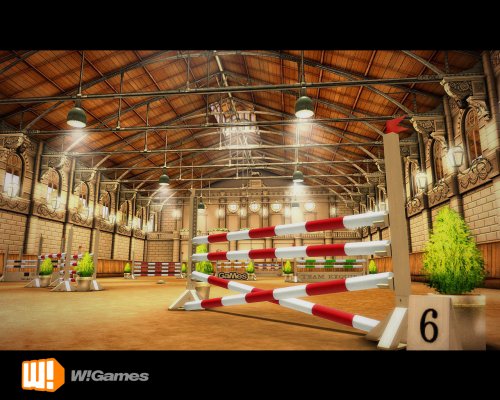
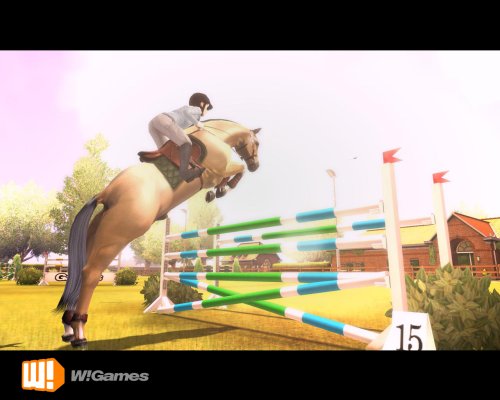
My Horse & Me Screenshots
Windows

0
-3
0
Little silly question, can I download it and wil it work if i dont have a physical cd drive on my computer ?
All the best
0
Mount the crack using SCSI “My_Horse_And_Me_(NORMAL_tages_MINI_image_by_xKVtor)” .mds
0
Still can’t download it? My explanations are an awful mess? Just have general questions about the game? No worries! Feel free to reply below or message me on discord (Sonic.exe#5916)
What you’ll need to follow this guide:
– WinRAR https://www.win-rar.com/download.html?&L=0
– Daemon Tools Lite https://www.daemon-tools.cc/products/dtLite#page (NOTE!!: be aware of the installation process. It asks if you want to download the optional additional programs like bright VPN. A) do not download anything other than Daemon Tools, B) none of the programs that I’ve been asked to download are trojans, scams, or malware of any sort so even if you do end up downloading something on accident, simply uninstall through your computer settings)
– Tages Drivers (the applications in the files are outdated and no longer work) https://www.tagesprotection.com/main.htm?page=5.5.htm I downloaded the 64 bit version
– Physical disk drive on your computer
Step 1:
Download the My_Horse_and_Me_Win_ISO_EN.zip file above
Extract the file somewhere that will be easy to find right away
Step 2:
Once the file is extracted, open its location. You should see a folder called “Game Files”, a website shortcut to OGD’s website, and a “ReadMe” file containing a short and sweet message from the people at OGD. Open “Game Files”, right click the “NoCD Crack”, and click “extract files”. Get this out of the way (I also didn’t know where to place this step)
Step 3 (You CAN mount normally, but do it the following way if you want the rest of the guide to make sense):
1. open up Daemon Tools
2. click “Drives”
3. “Advanced Image Mount”
4. In the “Image” bar, put in the address to the “mham – IgelKotteN” (mine is “F:\Abandoned Games\My_Horse_and_Me_Win_ISO_EN\Game Files\mham IgelKotteN”) or click the 3 dots beside the bar to browse for files.
5. Choose Virtual Drive, change the letter if you please, click “Mount”.
6. YAY! The first part of the game is mounted
Step 4:
A lettered drive should have appeared under “This PC” with the MHM icon, this is the mounted disc. Hop into it and click the “Setup” application (Could be labeled “Setup.exe”). Now, follow the installation wizard.
OR
Go into Daemon Tools and click on the mounted disc/drive on the bottom of the page/screen. It’ll either immediately send you into the installation wizard, or open up the drive’s contents (MHM contents)
(I highly suggest creating and downloading the files to a new folder within “Game Files” to make the downloaded files easily accessible).
Once the installation is done, you can eject/unmount the disc/drive
Step 5:
Pretty much a repeat of Step 4. Click “Drives”, “Advanced Image Mount”, but instead of the “mham – IgelKotteN” disc image, mount the “My_Horse_And_Me_(NORMAL_tages_MINI_image_by_xKVtor)” .mds file (mine is an “Alcohol CD/DVD Image” for some reason) and choose PHYSICAL instead of Virtual for this one.
If you can’t tell which one to click, it’s the smaller/5 KB file
Step 6:
Now that the cracked CD is mounted, open up the folder where your downloaded files are (the folder I suggested you make in Step 4) and click on “ThePonyGame.bat”. It will load up a command prompt screen and then the game should load right after!
Other stuff to help out:
Error: “Please Insert DVD of “My Horse and Me”!”:
You didn’t mount anything
Error: “Please insert original DVD of “My Horse and Me”! ***”:
Step 5 should help with this. This error pops up when the crack CD isn’t mounted physically. It MUST be mounted physically.
Error: Changing Resolution “quits the game” and tells me to insert the original DVD:
No worries! Your game didn’t quit on itself, nor did it catch you with your eye patch and peg leg. It’s just old stuff being old on modern technology. Simply click “ThePonyGame.bat” any time you mess with the resolution and it’ll reopen where it left off.
Error: *something* is unreadable or corrupted:
This is the million dollar question. Something could’ve downloaded wrong, something isn’t mounted correctly, or something within the files or images were moved, or a billion other things because technology is flawless
Hope this helps, happy riding everyone!
0
0
-1
0
The ‘setup.exe’ file should be run under Windows XP (not Vista). The installer will then create a shortcut on your desktop and in the Start Menu.
0
0
0
Thanks for your help
0
0
0
0
0
0
0
0
0
0
0
0
0
0
0
0
0
0
0
0
0
0
32-bit version:
https://www.tagesprotection.com/5.5/TagesSetup.exe
64-bit version:
https://www.tagesprotection.com/5.5/TagesSetup_x64.exe
Install the appropriate version before trying to install the game.
I have an original copy of the DVD and this solved the driver problem.
0