| Publishers | Electronic Arts |
| Developers | Maxis Emeryville |
| Release date | 2006 |
| Genre | Simulation |
| Game rating |
Game Description
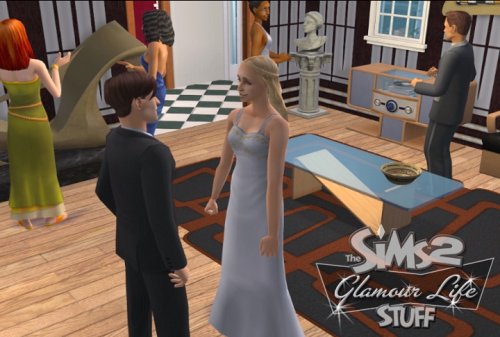
Must-Have Items to Glam Up Your Sims’ Lives!Your Sims can now indulge in a glamorous life with this collection of luxurious furniture, fashionable clothing, and extravagant décor items. Create lavish homes furnished with the finest modern bedroom, living room, and dining room sets. Turn heads in the neighborhood as your Sims show off elegant gowns, red carpet formalwear, and cool casual styles at their next big soirée. Your Sims will live the high life with 60 new items including pop-art paintings, sectional sofas, a high-end stereo, fur coats, and more!
Download The Sims 2: Glamour Life Stuff
The Sims 2: Glamour Life Stuff is no longer abandonware. You can now buy the game from:
Windows (2006)
The Sims™ 2 Legacy Collection on Steam
Additional files, patches and fixes
The Sims 2: Glamour Life Stuff Screenshots
Windows
0
-> You may also encounter the administrator issue after double-clicking on the emulated disk. In that case, open your task manager, click on “create a new task”, click on “choose path” and go into the emulated disk and select the “autorun” file, and don’t forget to check the box which activates administrator priviledges (or whatever it’s called, sorry I’m French). It will launch the emulated disk as if it were physically in your computer, and will get you rid of the administrator blocking.
0
I have downloaded other games too and once downloaded it starts up and just stops, o have edited the compatibility to windows 7, XP starter pack 3 and ran as administrator, still does not work
any help would be great
0