| Publishers | Eidos Interactive |
| Developers | Crystal Dynamics, Prolific Publishing |
| Release date | 2000 |
| Genre | Racing |
| Game rating |
Game Description
Walt Disney World Quest: Magical Racing Tour is a 2000 go-kart racing video game based on attractions at the Walt Disney World Resort. Players compete in races on tracks inspired by attractions such as the Haunted Mansion, Pirates of the Caribbean, Space Mountain and Big Thunder Mountain Railroad to acquire missing parts for the park’s fireworks machine, which was accidentally destroyed by Chip ‘n’ Dale while they were gathering acorns. The game was developed by Crystal Dynamics and published by Eidos Interactive. The Game Boy Color version was developed by Prolific Publishing.
Download Walt Disney World Quest: Magical Racing Tour
We might have the game available for more than one platform. Walt Disney World Quest: Magical Racing Tour is currently available on these platforms:
Dreamcast (2000)
Walt_Disney_World_Quest_Magical_Racing_Tour_Dreamcast_ROM_EN.zip (104.9MB)
PlayStation (2000)
Walt_Disney_World_Quest_Magical_Racing_Tour_PS_ROM_EN.zip (189.6MB)
Windows (2001)
Walt_Disney_World_Quest_Magical_Racing_Tour_Win_ISO_EN.zip (531.1MB)
Additional files, patches and fixes
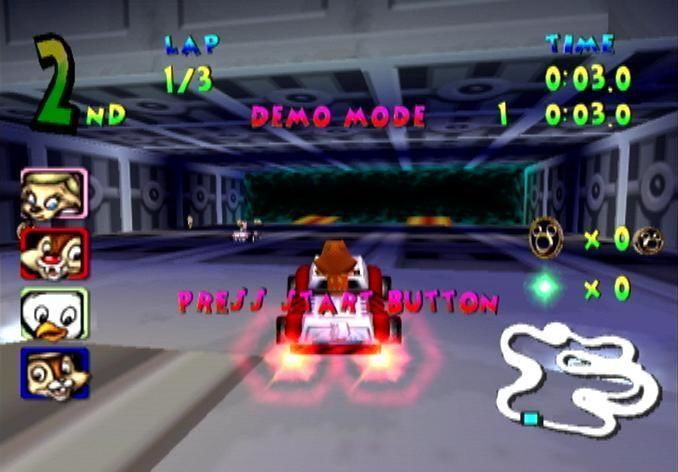
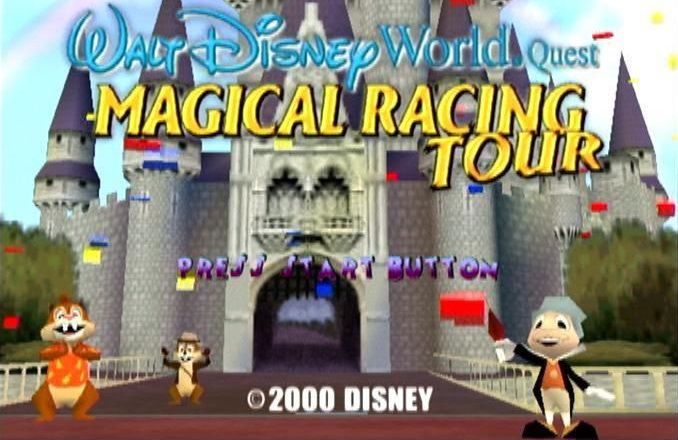
Walt Disney World Quest: Magical Racing Tour Screenshots
Dreamcast

0
0
0
0
0
On Windows 7/8/10/11 64bits I had to do the following to be able to start the installer:
Create a folder named C:WindowsSysWOW64InstallShieldsetupdir809
Copy “setup/setupdir/0809/_setup.dll” from the ISO to the folder that was created in the previous line.
0
0
after that you create a folder and name it 0809 (be careful, you should name it exactly like that for the Installation to work). Now after you created the 0809 folder in that specific location, you should copy (_Setup.DLL) file from another 0809 folder located in Game Installation folder to the 0809 folder you created. (That another 0809 folder located exactly in Game Installation Folder then: Setup\setupdir\0809). after that you should be ready to go. I hope this helped. ^_^
Sorry for any inconvenience as English is not my first language.
0
HOW RESOLVE THIS ERROR
0
0
0
0
0
0
0
0
0
0
0
Can you help me?
0
0
0
0