| Publishers | Knowledge Adventure |
| Developers | Knowledge Adventure |
| Release date | 2001 |
| Genre | Educational |
| Game rating |
Game Description
JumpStart Languages is an Early Discovery JumpStart game released by Knowledge Adventure in 2001. It is designed to teach French, Spanish, and Japanese for ages 3-6.
Download JumpStart Languages
We might have the game available for more than one platform. JumpStart Languages is currently available on these platforms:
Windows (2001)
JumpStart_Languages_Win_ISO_EN.zip (385.6MB)
Additional files, patches and fixes
JumpStart Languages Screenshots
Windows
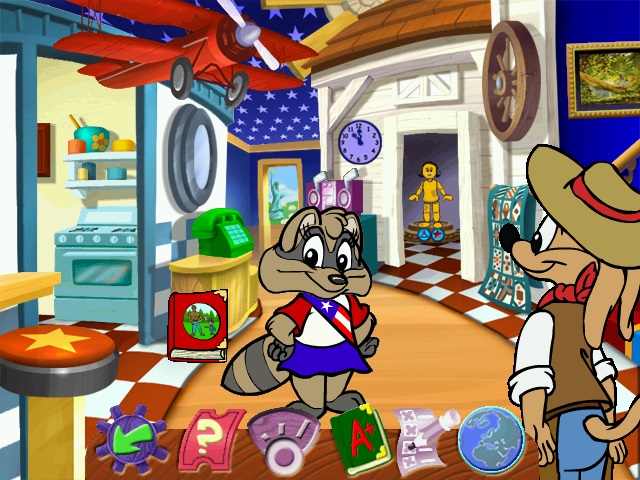


0
1. Find the correct ini file for your program. Do a search of the installed directory and/or “Documents and Settings\All Users\Application Data\Knowledge Adventure” on your hard drive for all .ini files. (the ‘Documents and Settings’ location may vary from system to system)
2. You should see a .ini file with the same base filename as the exe of the program. For example: JumpStart Advanced First Grade will have these files: JAS1G.exe and JSA1G.ini. You will want to edit the JSA1G.ini file. You should make a copy of this file before editing in case you run into any problems.
3. Open the .ini file using notepad.exe or similar text editor.
4. Search the file for these lines and add a semicolon ‘;’ at the beginning of these lines:
DisplayDepth=16
DisplayWidth=800
DisplayHeight=600
DesiredDepth=16
DesiredWidth=800
DesiredHeight=600
5. Save the file, restart your system and run the program again.
0
0
Compatibility mode – Windows 8
Reduced Color Mode – 16 Bit
0
I’m not understanding as games older than this have ran just fine without the need of VirtualBox or anything similar. At this point, until I start working on my old PC tower, my hopes and dreams of visiting the Jumpstart World’s Fair are just that, dreams.
0
0
0
0
0
0
0
0