| Publishers | Viva Media |
| Developers | Viva Media, Viva Media, LLC |
| Release date | 2007 |
| Genre | Simulation |
| Game rating |
Game Description
Experience what it’s like to run your very own horse farm! Take good care of your horses and earn their trust and affection. Practice and compete in horse show events and tournaments! Bring mares and stallions to the stable and the horses will do the rest! Adorable foals and fillies will be on the way. Spend your money wisely, make good decisions and train your horses to become world class champions!
Features:
- Ride! Take your horses on bridle paths, challenging obstacle courses and ride freely of the trails!
- Breed! Breed your horses with unique results each time!
- Build! Expand your farm with stables, breeding pasture, guest houses and more!
- Buy! Buy and Sell your horses, and even go shopping in town for everything you need!
- Be Famous! Breed Champions, win tournaments, and grow rich!
- Ride! Take your horses on bridle paths, challenging obstacle courses and ride freely of the trails!
- Breed! Breed your horses with unique results each time!
- Build! Expand your farm with stables, breeding pasture, guest houses and more!
- Buy! Buy and Sell your horses, and even go shopping in town for everything you need!
- Be Famous! Breed Champions, win tournaments, and grow rich!
Download My Horse Farm: Welcome to Trotterville
We might have the game available for more than one platform. My Horse Farm: Welcome to Trotterville is currently available on these platforms:
Windows (2007)
My_Horse_Farm_Welcome_to_Trotterville_Win_Preinstalled_SV.zip (589.7MB)
Additional files, patches and fixes
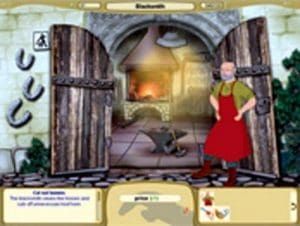
My Horse Farm: Welcome to Trotterville Screenshots
Windows


0
0
This is with the settings Malin has mentioned. Without them nothing happens at all.
0