| Publishers | Codemasters |
| Developers | Codemasters |
| Release date | 2002 |
| Genre | Action |
| Game rating |
Game Description
Pro Race Driver immerses you in the world of professional racing, to prove yourself in the world’s biggest racing championships! Bumper-to-bumper action as you gun for #1 with as many as 14 cars on the track at once Fantastic car physics and crash modeling that brings to life every subtle nuance of real pro racing!
Features:
- Ryan McKane comes from a line of racers — his father & brother were both champions. To their disappointment, Ryan only earns small victories. When his father dies, Ryan decides he’ll honor his father’s memory by dedicating himself to becoming a champion, no matter what.
- Test yourself and see if you’re worthy of being a champion, on 38 real international tracks – from Bathurst to Hockenheim to Silverstone
- Get behind the wheel of 42 of the world’s fastest touring & racing cars, in 13 global championships
- Customize your car setup for a unique & true-to-life gaming and performance experience
- Real-life global racing champions combine with fictional characters for an involving and intriguing storyline
Download TOCA Race Driver
We might have the game available for more than one platform. TOCA Race Driver is currently available on these platforms:
PlayStation 2 (2002)
TOCA_Race_Driver_v2.00_PS2_ISO_Europe.EN.FR.ES.zip (2.65GB)
Windows (2003)
TOCA_Race_Driver_Win_ISO_EN.zip (1.10GB)
Additional files, patches and fixes
TOCA Race Driver Screenshots
Windows
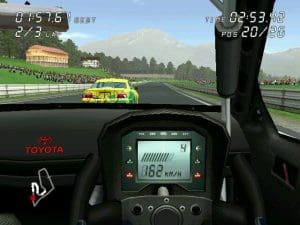
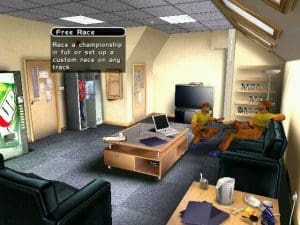

1
1- Extract the file containing the two CDs in ISO format. Use NanaZip to extract the contents of CD1 to a folder. Then extract the contents of CD2 to the CD1 folder and replace the existing files.
2- Install using autorun.exe. Avoid installing GameSpy, DirectX 8, or any additional components.
3- Copy the Toca Race Driver Update v11.120.exe file to the root folder where you installed the game (for example, I installed it in a folder called TocaRaceDriver on my D: drive). Run and install the update. 4- Copy the “magic” contents to the root folder where you installed the game and replace the existing files.
5- Copy the contents of the MX/x86 folder from the Voodoo .zip file that I asked you to download earlier to the root folder where you installed the game. Then copy the executable file inside that same .zip file, called “dgVoodooCpl.exe”, to the game’s root folder, and you’re done.
Use the AI to learn how to use the program. With this, you can run the game at maximum quality without compatibility issues and at 60 FPS.
Blessings! ♥
0
0
0
Can we get this as a complete working file instead of a ISO?
0
-1
0
0
0
0
0