Kirikou

Kirikou is a 2001 action game developed by Étranges Libellules and published by Wanadoo Edition.
Genres
Publishers
Developers
Released
Platforms
Kirikou is a 2001 action game developed by Étranges Libellules and published by Wanadoo Edition.
Kirikou is a 3D platformer in which progression is performed on a horizontally scrolling two-dimensional plane. The objective is to overcome the seven levels, collecting drops of water, avoiding the fetishes and overcoming the obstacles to come to face the witch Karabà in the eighth and final level.
The plot of the game is based on the events of the film. An evil sorceress named Karaba has inflicted terror upon the protagonist Kirikou's village and on the environment surrounding it. To ensure that her scheme for dominance over the region is fulfilled, she has transformed all the men of the village into fetiches. Kirikou's uncle, however, has managed to evade being transformed by Karaba's spell and has set out to combat Karaba by himself. Unbeknownst to him, though, Kirikou has decided to follow his uncle and join him in foiling Karaba's machinations.
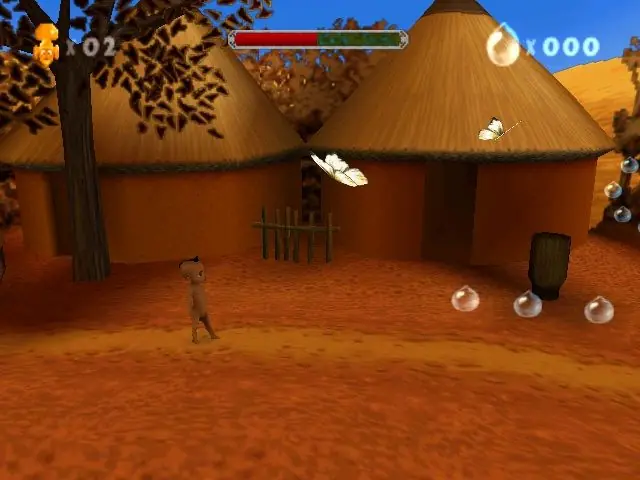

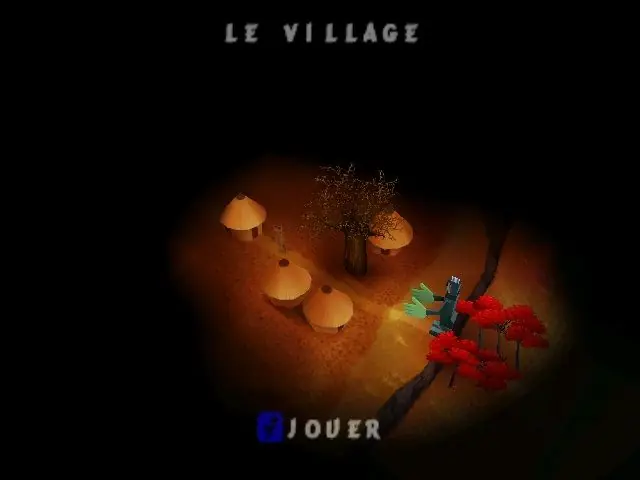
Kirikou is abandonware and no longer sold or supported by its publishers. Files are archived here for these platforms:











I dowloaded and extracted files for this game, but even with your tuto i can’t determine what i have to do (I can’t figure out which case corresponds to this game). Can you help me please ?
– Download the .zip file above
– Extract Kirikou_Win_ROM_EN.zip
– Go into Kirikou_Win_ROM_EN folder
– Go into Game Files folder
– Extract fit-kiri.001 zip file
– Go into the resulting folder
– Here there will be a CCD file, a CUE file, and an IMG file.
– Use a virtual disc mounting tool, such as Daemon Tools, to mount one of these disc files.
– Go into the disc files folder, where you’ll see files such as Install.exe and Kirikou.exe
– Installing the game is optional, as you can just run Kirikou.exe from this folder without Installation.
– Play the game 🙂 If game will not run try applying Win XP compatibility settings to the .exe and running as administrator.
Have a good day