Home » Games » Midgard

Midgard

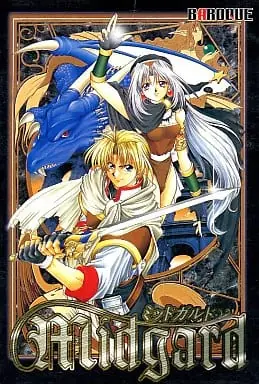
Midgard Game Cover
5/5 - 1 vote

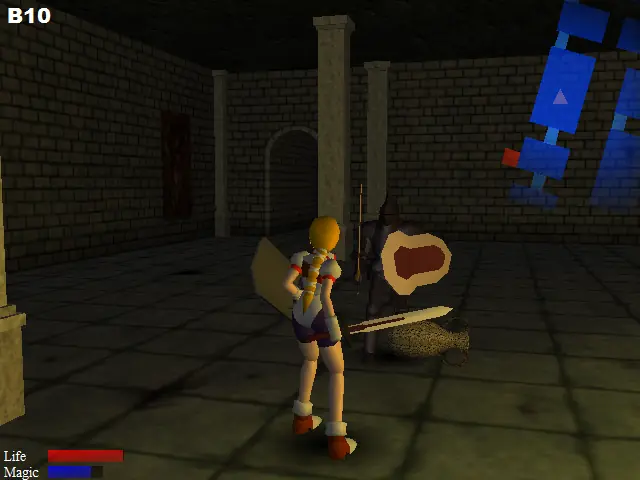
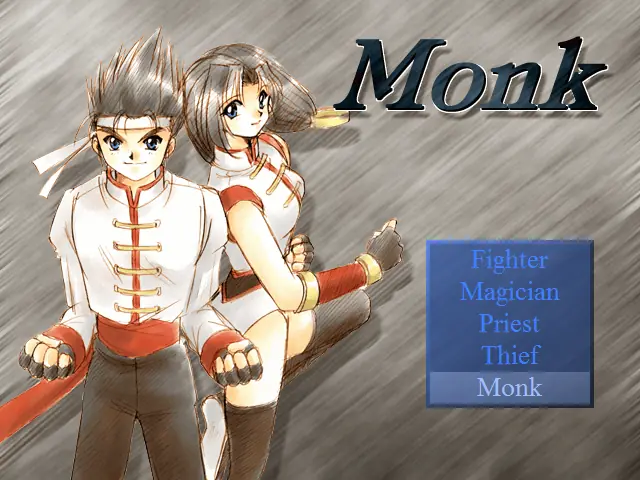
Midgard is a 1998 action game developed and published by Baroque.

Publishers
Developers
Released
Platforms
Download

Screenshots

Windows

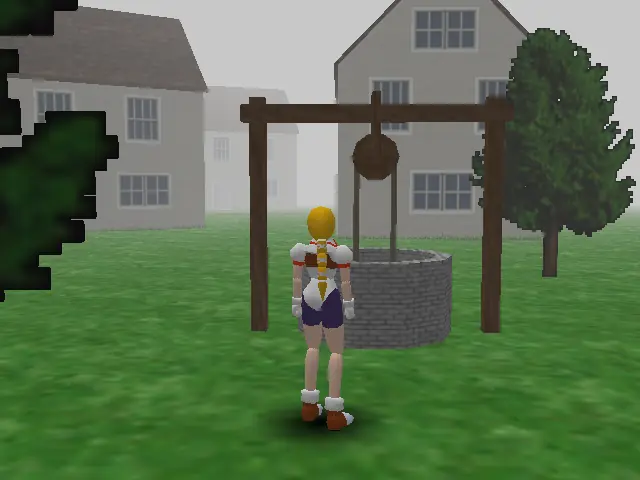
Midgard — Windows screenshot 1Midgard — Windows screenshot 2Midgard — Windows screenshot 3

Download Midgard

Midgard is abandonware and no longer sold or supported by its publishers. Files are archived here for these platforms:

Windows (1998)

  • Midgard_v1.2_Win_RIP_JP.zipv1.2JA73.48 MB
  • Instructions Midgard_v1.2_Win_RIP_JP.zip

    Note: Translation patch taken from: https://github.com/Eight-Mansions/MidgardBaroque

    English Patch Installation:

    Only the translated xdelta patch files are included; you will need an existing copy of Midgard, either the Japaense 1.0,1.2 or Korean 1.0 versions. You will also need a Xdelta patch utility.

    1. Extract downloaded xdelta patch files to any location
    2. Use XDELTA to patch the MIDGARD.exe file in the game directory.
    3. You will need to mount the Midgard-JP.iso for music to work.
    4. Set midgard.exe to XP compatibility for videos to work.

    Controls:

    Keyboard Controls:

    • Arrow Keys to move
    • Z = Action/Attack
    • X = Special/Magic Attack
    • Shift = Sprint
    • ESC = Menu
    • Shift + Back arrow = Quick turn

    Camera Controls:

    • Numpad 8,4,6,2 = will rotate the camera
    • Numpad 5 = Center camera

    Gamepad:

    • The game does support game controllers; be sure to plug it in and setup via config.

    Credits

    • Yuvi (Twitter, @YuviApp) - Hacking, Tool Creator, Image Editing, Game Translation, Playtest
    • SnowyAria/ArcaneAria(Twitter, @SnowyAria) - Game Translation, Playtest
    • Eight Mansions Team - Playtesting


  • Midgard_Win_ISO_JP.zipJA211.07 MB
  • Instructions Midgard_Win_ISO_JP.zip

    Note: Translation patch taken from: https://github.com/Eight-Mansions/MidgardBaroque

    English Patch Installation:

    Only the translated xdelta patch files are included; you will need an existing copy of Midgard, either the Japaense 1.0,1.2 or Korean 1.0 versions. You will also need a Xdelta patch utility.

    1. Extract downloaded xdelta patch files to any location
    2. Use XDELTA to patch the MIDGARD.exe file in the game directory.
    3. You will need to mount the Midgard-JP.iso for music to work.
    4. Set midgard.exe to XP compatibility for videos to work.

    Controls:

    Keyboard Controls:

    • Arrow Keys to move
    • Z = Action/Attack
    • X = Special/Magic Attack
    • Shift = Sprint
    • ESC = Menu
    • Shift + Back arrow = Quick turn

    Camera Controls:

    • Numpad 8,4,6,2 = will rotate the camera
    • Numpad 5 = Center camera

    Gamepad:

    • The game does support game controllers; be sure to plug it in and setup via config.

    Credits

    • Yuvi (Twitter, @YuviApp) - Hacking, Tool Creator, Image Editing, Game Translation, Playtest
    • SnowyAria/ArcaneAria(Twitter, @SnowyAria) - Game Translation, Playtest
    • Eight Mansions Team - Playtesting


  • Midgard_Win_ISO_KO.zipKO207.89 MB
  • Instructions Midgard_Win_ISO_KO.zip

    Note: Translation patch taken from: https://github.com/Eight-Mansions/MidgardBaroque

    English Patch Installation:

    Only the translated xdelta patch files are included; you will need an existing copy of Midgard, either the Japaense 1.0,1.2 or Korean 1.0 versions. You will also need a Xdelta patch utility.

    1. Extract downloaded xdelta patch files to any location
    2. Use XDELTA to patch the MIDGARD.exe file in the game directory.
    3. You will need to mount the Midgard-JP.iso for music to work.
    4. Set midgard.exe to XP compatibility for videos to work.

    Controls:

    Keyboard Controls:

    • Arrow Keys to move
    • Z = Action/Attack
    • X = Special/Magic Attack
    • Shift = Sprint
    • ESC = Menu
    • Shift + Back arrow = Quick turn

    Camera Controls:

    • Numpad 8,4,6,2 = will rotate the camera
    • Numpad 5 = Center camera

    Gamepad:

    • The game does support game controllers; be sure to plug it in and setup via config.

    Credits

    • Yuvi (Twitter, @YuviApp) - Hacking, Tool Creator, Image Editing, Game Translation, Playtest
    • SnowyAria/ArcaneAria(Twitter, @SnowyAria) - Game Translation, Playtest
    • Eight Mansions Team - Playtesting


Additional files, patches and fixes

Comments