The Pink Panther: Passport to Peril
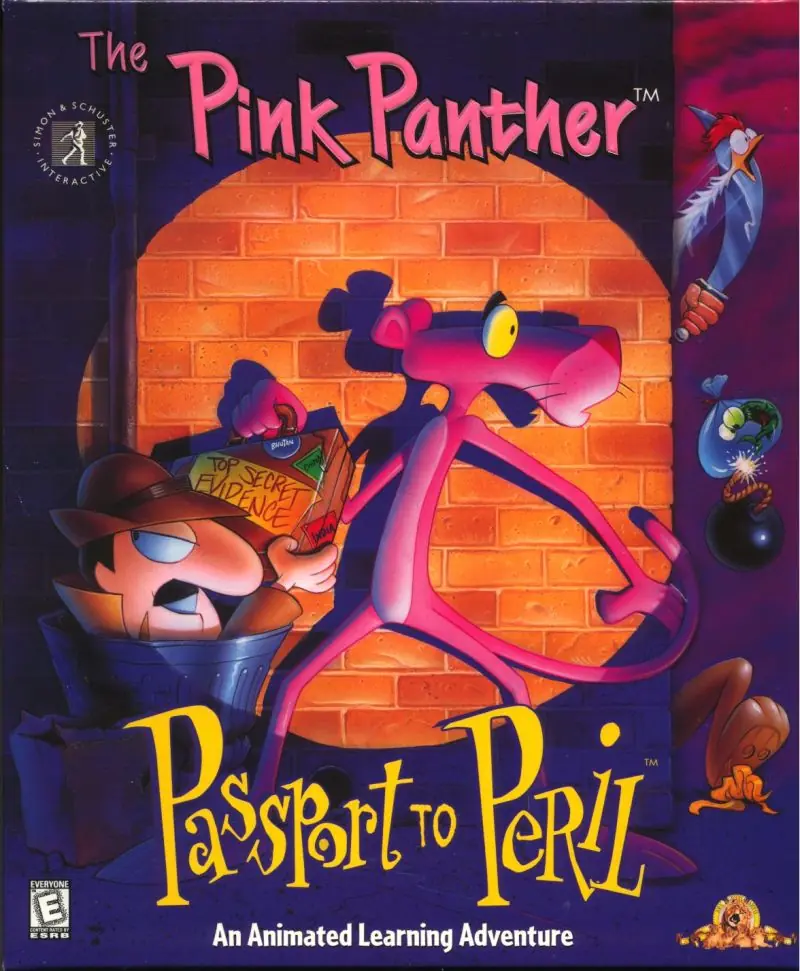
The Pink Panther: Passport to Peril is a 1996 adventure game developed by Wanderlust Interactive and published by Anglia Multimedia.
Genres
Developers
Released
Platforms
The Pink Panther: Passport to Peril is a 1996 adventure game developed by Wanderlust Interactive and published by Anglia Multimedia.
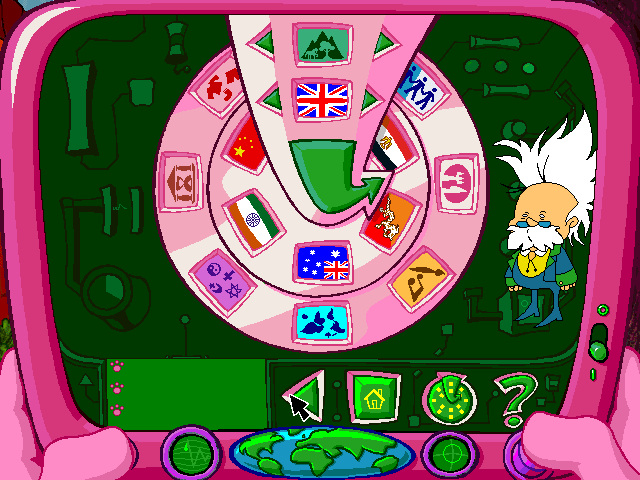
The player uses point-and-click controls to guide the Pink Panther around areas to interact with characters and objects, solve puzzles, and advance the story. Pink stores useful items he finds in a pouch in his fur, and the inventory can be accessed by clicking on him. The player can also access the PDA ("Pink Digital Assistant") at any point to read information on the indigenous people, languages, clothing, entertainment, art, history, nature, and foods of each country Pink visits. Each main topic page in the PDA is hosted by at least one character from the 1993-95 TV series in a cameo.
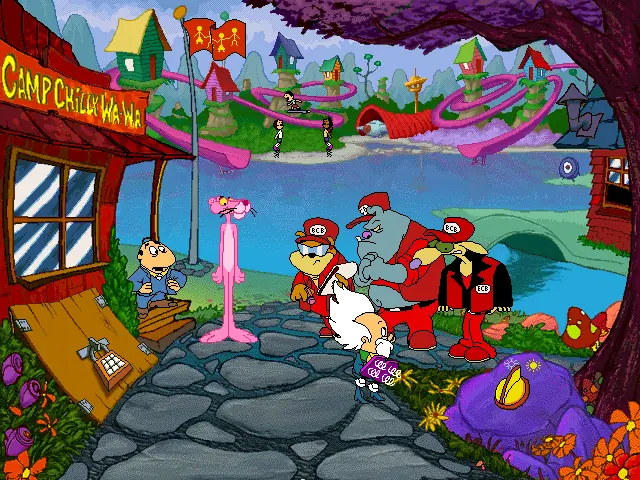
The Pink Panther works as a secret agent for the Inspector, who teleports him to Camp Chilly Wa-Wa, a prestigious international summer camp for the gifted children of powerful and influential people at a top-secret location, to ensure the campers stay happy in order to prevent global conflict. Once there, he meets a group of multiethnic youths as well as the counselor. The children include Nigel, Chione, Yung-Li, Ananda, Indrani, and Kumoken. Pink also encounters his scientist friend Helmut Von Schmarty, who shows him his newest inventions, including the Dial-a-Day, which can alter the local weather and time of day. The sinister Dogfather and his henchmen, Pugg and Louie, soon arrive, disguised as agents of the "Better Camping Bureau" and threatening to close the camp if anything goes wrong.
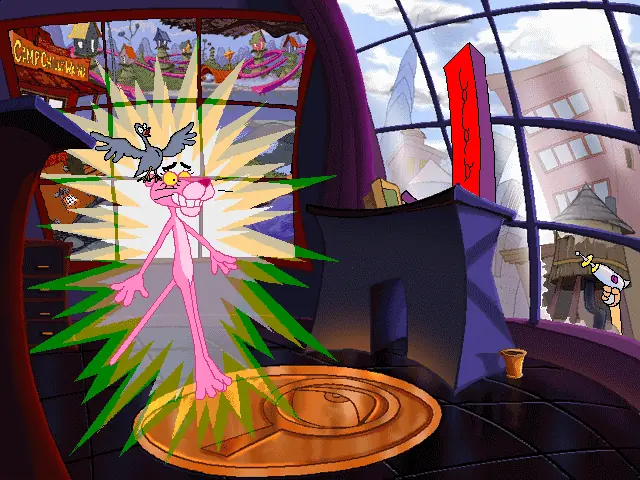
The Dogfather spies on Pink using a secret code to access the basement under the counselor's cabin and find a fishing rod for Nigel, then sets the Dial-a-Day to nighttime and sneaks into the basement while Pink is asleep. When Pink awakens, he finds the children acting strangely and contradictory to their nature, hating the camp and each other despite Pink's efforts to reason with and comfort them. Von Schmarty gives him a PDA ("Pink Digital Assistant") serving as both an information repository and a communication device, and Pink travels to the children's home countries to fulfill various tasks based on their needs and whereabouts while Pugg and Louie attempt to thwart him repeatedly.
Pink first flies to London to retrieve Nigel's Guy Fawkes dummy, dressing up as a nobleman to converse with Nigel's father, Sir Manly MP. In the family country house, Pink finds a postcard from Nigel, a champion speller, riddled with spelling errors. Though Pugg and Louie steal Pink's fur, he stuns them with reflected sunlight and takes it back at Stonehenge. In Cairo, Pink makes a chain of deals to get provisions for a local man and receive his help in searching along the Nile for the missing Chione. He discovers a hieroglyphics letter to her parents saying she is enjoying the camp and never left, and later goads the dogs into falling into a pit trap.
The Pink Panther: Passport to Peril is abandonware and no longer sold or supported by its publishers. Files are archived here for these platforms:








I got it to work by using a tool called scummvm (www.scummvm.org) and a mounting tool (follow GoodguyJavaanse guide right up until step 6).
After step 6 you just use scummvm and select the folder you just saved everything to.
have fun down memory lane!
help!!
Yijvdtuh
1. Download&Unzip the Files
2. Download WinCDEmu (since Windows isnt able to mirror .cue/.bin-files)
3. Install WinCDEmu and open the Passport to Peril folder
4. Mount the setup.exe as a virtual CD-Rom
5. Open the CD-Rom (right click open folder, dont start it via doube click)
6. Copy the entire CD on your PC
7. Open the ‘INSTALL’ Folder and find the PPPTP.exe
8. Right click – Properties – Compability Settings
Now we are getting to the part that took me a while to figure out:
9. Use Compability Settings (change it for all users, so it stays changed):
– Windows XP (Service Pack 2) – (it’s necessary for the sound to work, started it on 98/Me sucessfully, but without any sound)
– 8 Bit (256 Colours)
– Start as Administrator
10. Apply settings, start the .exe and you should be good to go
Just Notice: You should have sound from the beginning. There will be two developer intros (unskippable). After that you will be dropped into two story sequences (game intro/story intro) (skippable via Esc). After that (when you arrive at the camp) drag your cursor to the upper end of your screen. There should appear a bar where you will be able to save and load your game and manage ‘sound preferences’. I advise you to try the save and load option right from the beginning, so you can see if you will have to play the game in one sitting 😉
hope I were able to help 🙂 gl hf
PS: I’m also not a programmer, so dont ask me why it works. Google helped me out a lot with this one.