Z
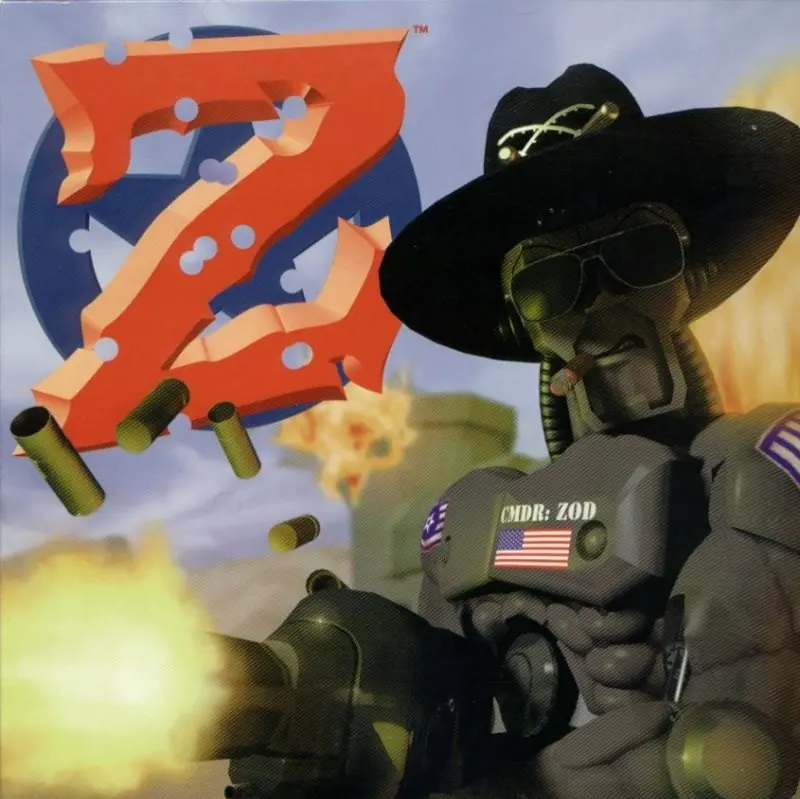
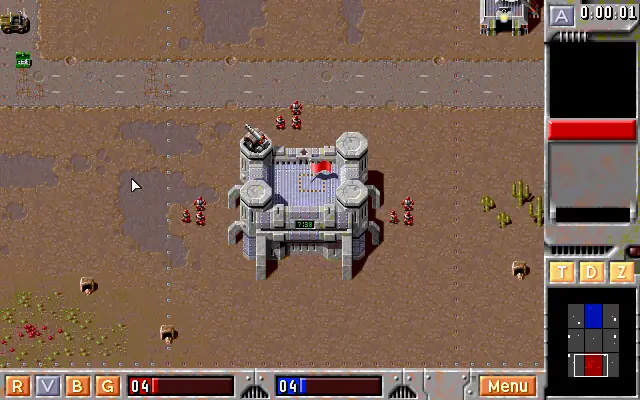
Z (pronounced Zed) is a 1996 real-time strategy computer game by The Bitmap Brothers. It is about two armies of robots (red and blue) battling to conquer different planets.
Genres
Developers
Released
Platforms
Z (pronounced Zed) is a 1996 real-time strategy computer game by The Bitmap Brothers. It is about two armies of robots (red and blue) battling to conquer different planets.
A supply ship is adrift in space. Its occupants, two robots named Brad and Allan, are late delivering supplies for Commander Zod. Their mission sends them across five planets, fighting enemy soldiers. Only when the five planets are conquered does the party begin.
After the final level, Zod gets a promotion to Supreme Space Colonel. Zod and the other soldiers celebrate by drinking many cans of rocket fuel, getting sick. Zod boards the Supply Ship with Brad and Allan and shows them how to fly it. Zod uses the ship to pull acrobatic stunts in space, leaving Brad thrilled. When Allan pulls another can of rocket fuel from the box, he notices a "do not shake" warning on its side. He shakes it up and tosses it to Zod. When Zod opens the can, an explosion blows the ship apart. Brad and Allan are hurled off, and Zod's hat floats into deep space.
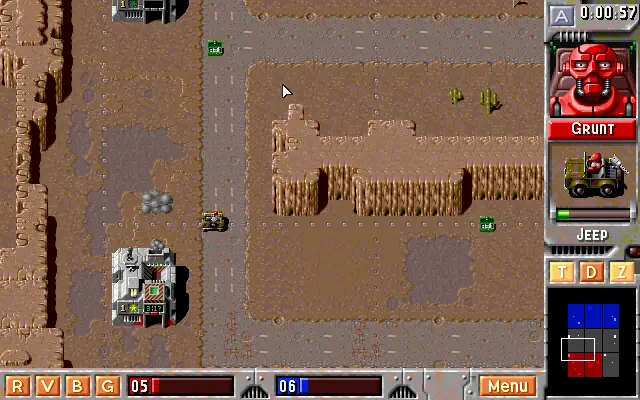
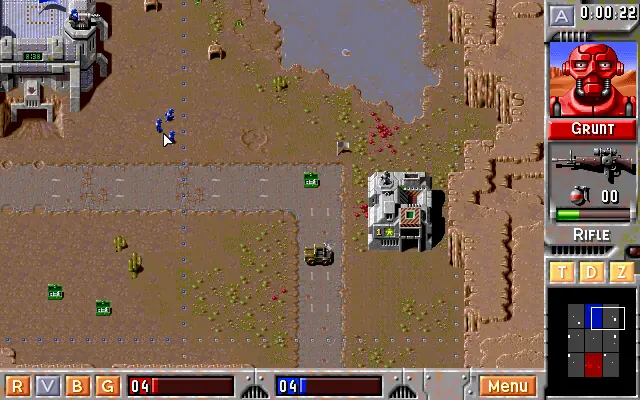
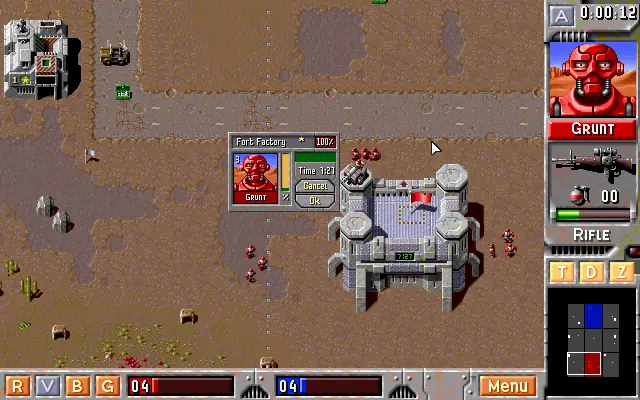
Unlike traditional real-time strategy (RTS) games, there is no resource collection, map exploration, or base building - the same principle that was introduced by Nether Earth, one of the RTS games' ancestors. Regions and structures within their borders that actually manufacture the units are captured by moving troops to their respective flags. All that is needed to do is to hold acquired position for a certain amount of time while the unit is manufacturing. The more regions are under the player's control, the less the time required. More powerful units take more time to construct.
The objective of the game is to eliminate the opponent by taking out their command fort, either by sending a unit to enter it, or by destroying it directly. Alternatively, destroying all of the opponent's units immediately wins the game.
At the start of every mission, each side is given control of their fort and a small group of units. A host of unmanned turrets and vehicles are usually scattered about the map and sending a robot to these will allow the player to add them to their army. However, the assigned robot will remain in the captured vehicle or turret as a pilot or a gunner, although he may be removed from the gun, effectively splitting him from his squad.
Z is abandonware and no longer sold or supported by its publishers. Files are archived here for these platforms:
How to play on Windows 10






First, I found some good help on the subject over at:
(just do a google search for “main.pac error z dos game” and it should be around the first result)
…check about halfway down the page at BallWin’s step-by-step (thanks for that man!) process. I’m not really familiar with DOSBox, but he helped me figure out most of it.
What you’ll want to do is create two folders in whatever location you decide to install the game files in. I labeled one as “Z_CD” and dumped the .iso files into it, effectively making it a “CD”. The list of those files are thus:
CUTS
Z
INSTALL.EXE
OC25.DLL
README.TXT
SETUP.EXE
STKIT416.DLL
TYPELIB.DLL
VB40016.DLL
Z.PAC
…I then created another folder called “Z” and had DOSBox install the game into that folder (see BallWin’s step-by-step). The first part of his Step 3 is the path to the “Z_CD”; the second is to the “Z” folder. After that, just follow his tutorial.
After I installed the game, I added the AUDIO, HISCORE, all the LEVELS and SAVE.z files from the zip file on this awesome oldgamesdownload site to the “Z” folder (Thanks you guys!).
From there, I double-checked to make sure the Z.BAT file stated this:
@Echo Please Wait – Loading ……
@ZED.EXE /CD:D %1 %2 %3 %4 %5
…then I created the DOSBox config file, left the sound settings as default, and added this to the autoexec section:
[autoexec]
# Lines in this section will be run at startup.
# You can put your MOUNT lines here.
@echo off
mount D: “path to your Z_CD folder” -t cdrom -label ZED
mount C: “path to your Z folder”
C:
cd ZED
Z
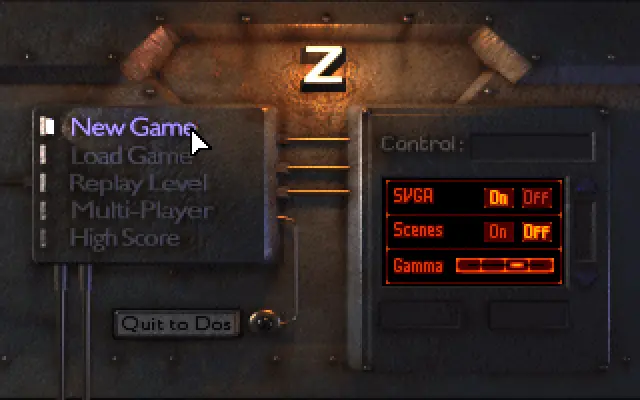
This seemed to work great; sound works, SVGA is working (larger viewing area) and everything properly loads. I wanted to post this here so anybody looking for this great game could have a better how-to to get it up and running in DOSBox.
Cheers!
stuck at installing the game using dosbox.
i have the original Z cd i bought ages ago. I started with creating folder like you did.
i mounted the cd in dosbox, tried instaling the game but cannot select c:\games\z to install the game in.
do i need to mount these drives prior to install?