| Publishers | Activision |
| Developers | Neversoft, Vicarious Visions (GBC), Edge of Reality (N64) |
| Release date | 2000 |
| Genre | Action, Adventure, Platformer |
| Game rating |
Game Description
Spider-Man is an action-adventure video game based on the Marvel Comics comic book series The Amazing Spider-Man, which features the fictional superhero Spider-Man. The game follows Spider-Man as he is framed by a doppleganger for stealing a device created by a supposedly reformed Dr. Otto Octavius.
Download Spider-Man
We might have the game available for more than one platform. Spider-Man is currently available on these platforms:
PlayStation (2000)
Spider_Man_2000_PS_ROM_EN.7z (374.5MB)
Windows (2001)
Spider_Man_2000_Win_Files_EN.7z (106.4MB)
Spider_Man_2000_Win_ROM_EN.7z (520.8MB)
Spider_Man_Win_ISO_EN.zip (476.4MB)
Spider_Man_Win_Setup_EN.zip (467.5MB)
Spider_Man_dgVoodoo_Win_RIP_EN.zip (425.5MB)
Spider_Man_MagiPack_Repack_Win_Setup_EN.zip (411.1MB)
How to play on Windows (Method 1)
- Download and Extract Spider_Man_2000_Win_Files_EN.7z
- Open the “Game Files” folder and launch “SpideyPC.exe”
- Enjoy!
How to play on Windows (Method 2)
- Download and Extract Spider_Man_2000_Win_ROM_EN.7z
- Open the “Game Files” folder and mount the .mdf file (see our wiki section if unsure how)
- Run the game setup and finish installing the game
- Crack the game using the file inside the “Crack” folder
- Launch the game using the desktop shortcut or by double clicking on “SpideyPC.exe”
- Enjoy!
How to play on Windows (Method 3 – credits to lightsritual)
GUIDE TO MAKE GAME RUN ON WINDOWS:
Install:
Under (Windows)
– Spider_Man_Win_Setup_EN.zip (467.5MB) (MAIN GAME)
Under “Additional files, patches and fixes”
– Spider-Man Windows NoCD (English) (CRACKED FIX)
- Extract *MAIN GAME* to a preferred folder of your choice. I have it under C:\OldGames… OR you can simply drag the folder “Spider-Man 2000” into C:\OldGames…
- In Spider-Man 2000 open Setup folder…
- Open Spider-Man Windows NoCD (English) Separately then navigate C:\OldGames\Spider-Man 2000\Spider_Man_NoCD_Win_EN.zip\Game Files\Crack…
- Copy SpideyPC
- Paste it into the ‘SETUP’ MAIN GAME FOLDER (my example: C:\OldGames\Spider-Man 2000\Setup)
- Replace file in destination..
- To launch the game click SpideyPC (Application)
- CONGRATS NOW YOU CAN PLAY! Send a shortcut to desktop for easier access
- *Highly recommend you look up a resolution fix to play at your monitors native resolution!*
Mac (2002)
Spider_Man_Mac_SIT_EN.FR.DE.zip (451.2MB)
Additional files, patches and fixes
Spider-Man Windows NoCD (English)
Spider-Man Mac Patch v1.02 (English)
Spider-Man Windows Manual (English)
Spider-Man (2000) Windows Manual (English)
Spider-Man (2000) Windows ReadMe (English)
Spider-Man (2000) Nintendo 64 Manual (English)
Spider-Man (2000) PlayStation Manual (English)
Spider-Man Screenshots
PlayStation
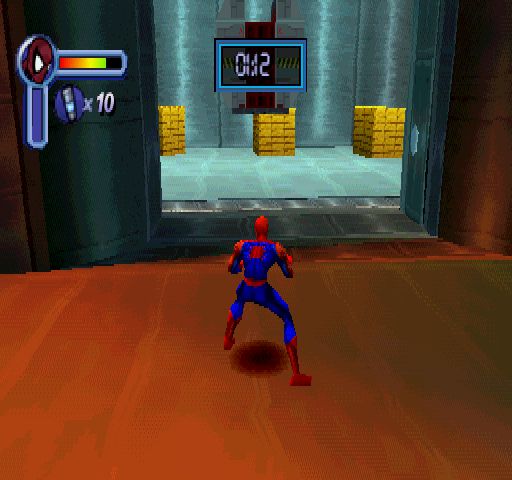
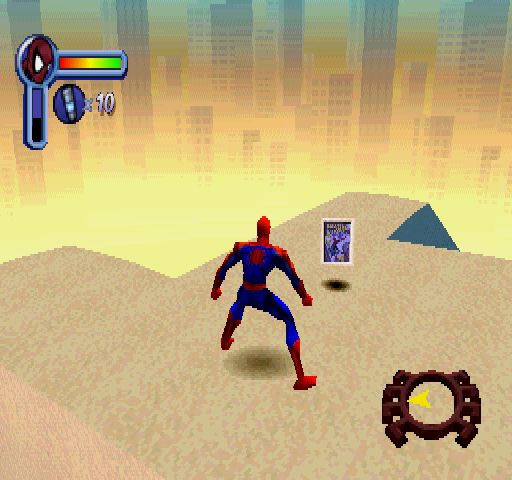
0
0
2. Go to the control panel > audio, select your device, right click settings, click advanced on the top, change the quality setting to 48000 Khz DVD Quality
You can get back to the default setting after you play the game
0
0
0
0
0
0
I can’t seem to upload the file here.
0
You’re welcome!
0
0
0
0
0
Any way I can fix it? I’m playing the pc version
0
0
0
0
0
0
0
0
0
0