MechCommander 2
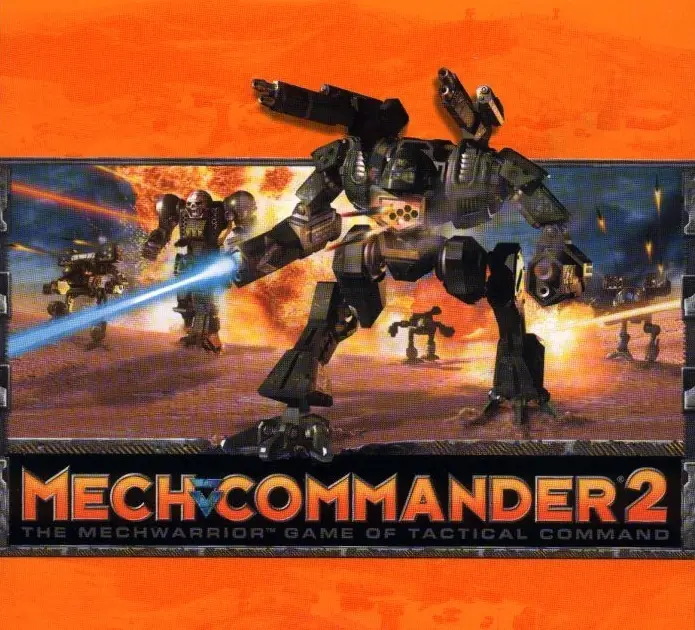
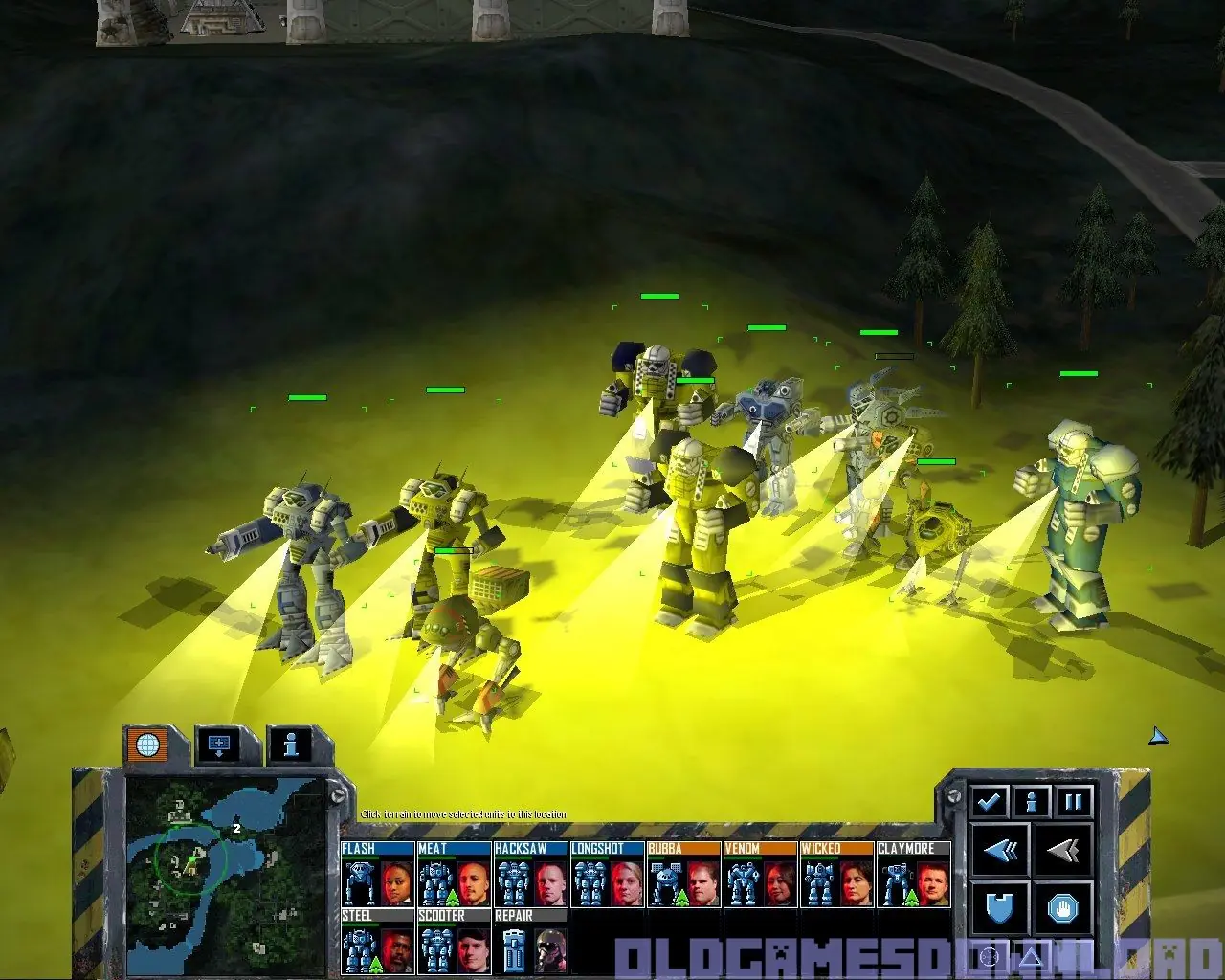
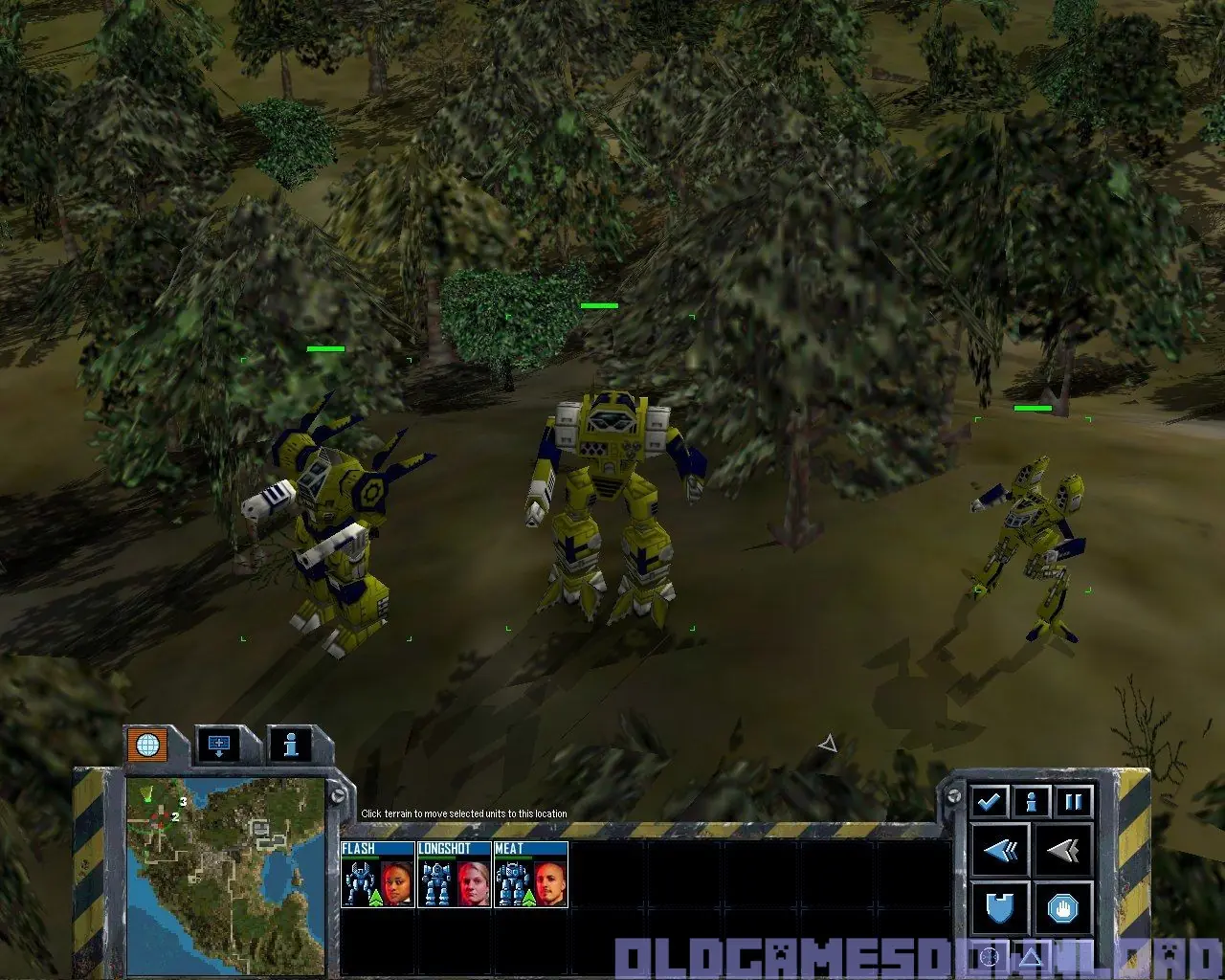
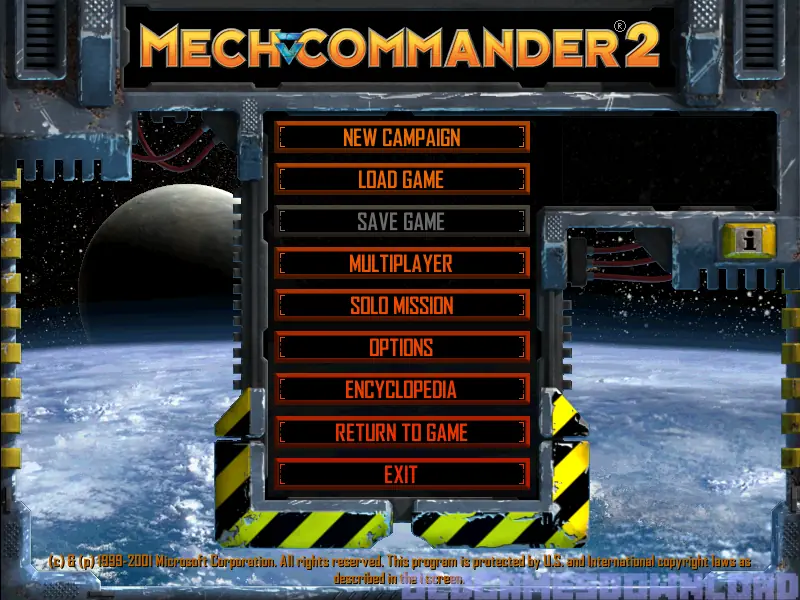
MechCommander 2 is a 2001 real-time tactics video game based on the BattleTech/MechWarrior franchise, developed by FASA Interactive and distributed by Microsoft. It is a sequel to MechCommander.
MechCommander 2 is a 2001 real-time tactics video game based on the BattleTech/MechWarrior franchise, developed by FASA Interactive and distributed by Microsoft. It is a sequel to MechCommander.
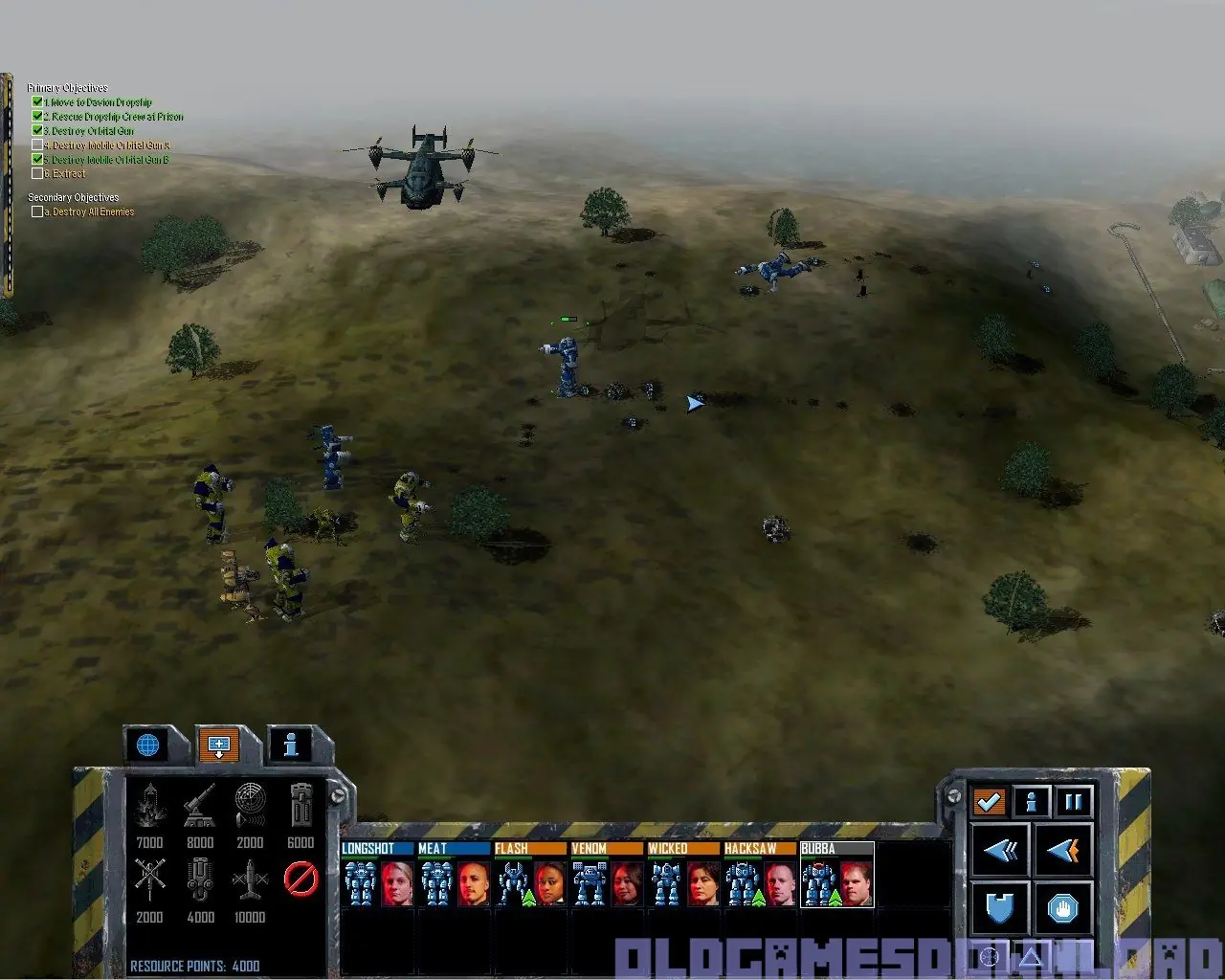
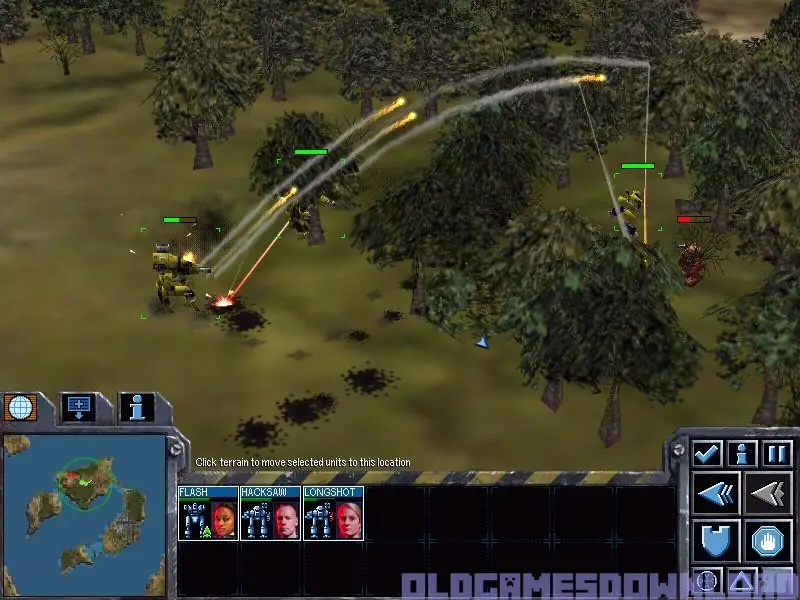
The single-player game takes place on Carver V, a planet previously held by House Liao, but recently mostly captured by the Federated Commonwealth, who killed the local Liao ruler Mandarin Cho in combat. At the beginning of the story, the Federated Commonwealth, an alliance of House Steiner and House Davion, is breaking apart due to Archon Katrina Steiner's controversial seizure of power. All the Houses on Carver V are avoiding any military action that could endanger the peace, so when a suspiciously well-equipped bandit force threatens Steiner territory, House Steiner employs a mercenary team led by the player, who takes the role of their commander.
In Campaign 1, the player is under the command of Colonel David Renard of House Steiner, and starts with relatively simple missions to destroy minor bandit forces. However, a chase of a bandit convoy results in a firefight with Liao units. It is then revealed that the bandit leader is an ex-Liao officer. Renard authorizes full-scale attacks on Liao forces despite protests from Steiner Ambassador Yee. The campaign ends with the destruction of the bandit HQ and the death of their leader. Over the course of the campaign, Colonel Renard becomes increasingly unstable, ending with the words: "Do this and get out. I've got plans for Carver V and you don't want to be part of them".
In Campaign 2, the player's mercenary team enters into a new contract with House Liao. The player is under the command of Mandrissa Anita Cho (widow of Mandarin Cho), who wants the planet for her son, Captain Jason Cho. The player is tasked with various covert operations, including the destruction of the interstellar communications relay on Carver V's moon and strikes against House Davion and House Steiner designed to implicate each other. Between Mandrissa Cho's machinations, Renard's instability, and the lack of off-world communications, Steiner and Davion forces on Carver V go to war. House Liao then makes a grab for power, but due to Jason Cho's incompetence as a commander, Liao forces are badly beaten and are forced to negotiate a truce with House Steiner. Colonel Renard agrees to share Carver V with House Liao in return for their help eliminating the Davions and the player's mercenaries. The player is forced to flee before the advancing Steiner and Liao forces, and are saved by resistance forces led by Baxter, a local partisan leader who wants his planet to become independent.
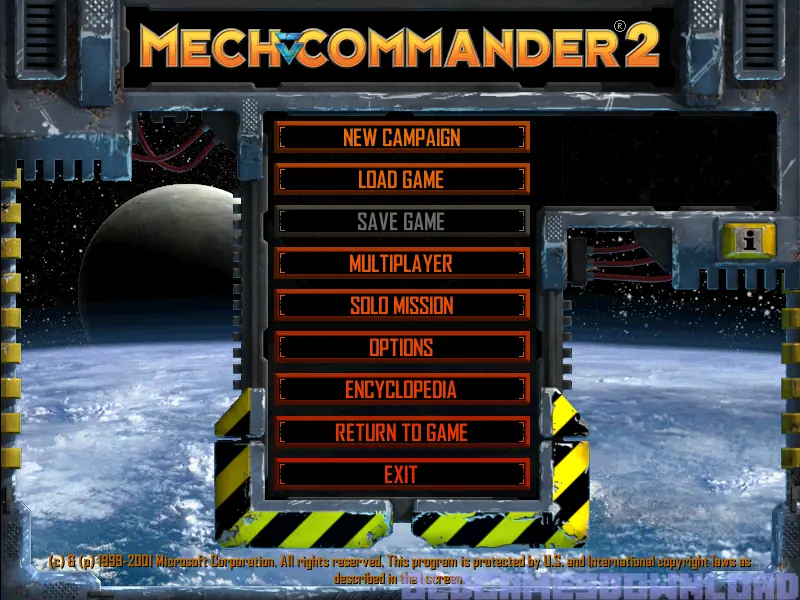
MechCommander 2 is abandonware and no longer sold or supported by its publishers. Files are archived here for these platforms:
How to play on Windows







I Got this game running on my Lenovo ThinkpadN22 Windows 10 System but the Resolution stops at 1024 x 768.
Could someone help me (up) the resolution in this game,
My Lenovo Goes up to 1366 x 768.
2) Also could some help me on Maps.
This game stopped on a page that said Maps, it was blank.
Could someone help me get the Map Files ?
(If you don’t know how to do this, google search, but you will need a windows 10 ISO file).
I can only assume You may want to try and use 3rd party software to Create an ISO file with all the files in it, (uninstall the 3rd party software afterwards) and then mount it through Windows 10 which comes with the Mounting ISO function in it.
That big error list I’m seeing below in the comments is because Said individual “did not run the game as Administrator” which makes the game fail to load upon running it. (That’s a Major step guys….)
Another thing that is a must for old games to work is, make sure you install Legacy Components, It’s done through the Control Panel / Programs & Features.
(Google search how to do this, I’m not that explaining it all here)
This game wasn’t hard to get running at all. You guys may also want to check the health of your system by scanning for viruses and the integrity of your system files. Malware in general, can cause alot of things to not run properly in your computer. I got it to run with no issues on my Laptop AND my desktop.
STOP : FAILED (0x80004001 – WINERR_Not implemented ) – Blt(Dest=0xf2e0918 at complete, Src=0xf2e0458 at complete Flags:WAIT )
Address : 0x005CD840
Location : MC2REL! (+0x1CC840)
Call Stack
==========
0x00592EBF MC2REL! (+0x191EBF)
0x00590EEF MC2REL! (+0x18FEEF)
0x0048D3E8 MC2REL! (+0x8C3E8)
Processor Registers EAX=0x00000000 EBX=0x00000000 ECX=0x00000000 EDX=0x00000000 Flags=0x00000000
=================== ESI=0x00000000 EDI=0x00000000 EBP=0x0019FA3C ESP=0x0019F4D4 EIP=0x005CD840
EIP (0x005CD840) 8B 54 24 0C 6A 00 68 00 00 00 01 6A 00 52 6A 00 56 E8 6A C9 FF FF 8B 44 24 0C 50 E8 40 F1 FF FF
ESP (0x0019F4D4) 0019FA30 0F2E0918 80004001 00000000 00000000 00000000 00000000 00000000
008C0000 00020010 000013FB 00000000 00000000 18DD00C0 E80013FB 00000000
00000001 66C321D7 0019F820 06C5F710 00000000 00004002 00000000 18DF9FE0
Machine details
===============
Executable name : C:UserskneonDesktopMechCommander 2Game FilesMc2Rel.exe
Executable time, date : 20:02:04 Monday 6/25/2001
Command line :
Current directory : C:UserskneonDesktopMechCommander 2Game Files
Current time, date : 03:29:58 Sunday 2/23/2020
GameOS build version : Version 1.1 11/2/2000
Software rasterizer : c:userskneondesktopmechcommander 2game filesassetsbinariesblade.dll (Size 286,786 bytes)
User name : kneon
Machine name : DESKTOP-RLJ8C5O
Processor : 1995MHz AMD Unknown MMX SSE Model=0, Type=15, Stepping=1 (Four Processors)
Cache Information : Unknown
L2 r/w/rw speed : 3 cycles 21280MB/s, 4 cycles 15960MB/s, 4 cycles 15960MB/s
Main memory r/w/rw speed : 15 cycles 4256MB/s, 17 cycles 3755MB/s, 8 cycles 7980MB/s
Video memory r/w/rw speed : 636 cycles 100MB/s, 68 cycles 938MB/s, 581 cycles 109MB/s
AGP memory r/w/rw speed : 309 cycles 206MB/s, 67 cycles 952MB/s, 501 cycles 127MB/s
Operating system : Windows 2000 (5.1.2600) Service Pack 2
DirectX version : 9.04.00.0904
Time since booted : 214h 46m 37s
Time in game logic : 0h 0m 6.07s (on frame 1)
Time app running : 0h 0m 6.07s
Physical memory : 1,073,741,823 bytes (1024 Meg)
Available physical memory : 1,073,741,823 bytes (1024 Meg)
Swapfile size : 2,147,483,647 bytes (2048 Meg)
Swapfile available : 1,073,741,823 bytes (1024 Meg)
Virtual memory : 2,147,352,576 bytes (2048 Meg)
Available virtual memory : 1,627,803,648 bytes (1552 Meg)
Amount of stack used : 3060 bytes
Memory load : 48%
Desktop video mode : 1920,1080 32bpp
Mode when crash occured : Full Screen 800x600x32 Refresh=60Hz (AMD Radeon(TM) R4 Graphics)
Networked Machine : No
Executable version : 00.01.06.2522
PCI Chipset : Unknown
Processes Pri Threads Path
==========================================
Origin.exe : 8 : 76 : C:Program Files (x86)OriginOrigin.exe
QtWebEngineProcess.exe : 8 : 10 : C:Program Files (x86)OriginQtWebEngineProcess.exe
OriginClientService.exe : 8 : 5 : C:Program Files (x86)OriginOriginClientService.exe
QtWebEngineProcess.exe : 4 : 11 : C:Program Files (x86)OriginQtWebEngineProcess.exe
Mc2Rel.exe : 8 : 24 : C:UserskneonDesktopMechCommander 2Game FilesMc2Rel.exe
DLL Version numbers
===================
msvcrt.dll – Version 6.00.8337.0 – Found in C:UserskneonDesktopMechCommander 2Game Files
msvcrtd.dll – Version 6.00.8337.0 – Found in C:UserskneonDesktopMechCommander 2Game Files
msvcirt.dll – Version 6.00.8168.0 – Found in C:UserskneonDesktopMechCommander 2Game Files
msvcirtd.dll – Version 6.00.8168.0 – Found in C:UserskneonDesktopMechCommander 2Game Files
amstream.dll – Version 10.0.18362.1
quartz.dll – Version 10.0.18362.1
Ir50_32.dll – Version 10.0.18362.1
dsound.dll – Version 10.0.18362.1
dinput.dll – Version 10.0.18362.1
d3dim.dll – Version 10.0.18362.1
ddraw.dll – Version 10.0.18362.1
dplayx.dll – Version 10.0.18362.1
Sound device 0 (Current) – (HW Mixing Disabled)
==============
Description : Speakers (Realtek High Definition Audio)
Driver file : {0.0.0.00000000}.{286d4817-fead-4291-b47f-a7cf11cf3e30}
Driver file data : Cannot find driver file
CERTIFIED : No
EMULDRIVER : No
CONTINUOUSRATE : Yes
PRIMARYMONO : Yes
PRIMARYSTEREO : Yes
PRIMARY8BIT : Yes
PRIMARY16BIT : Yes
SECONDARYMONO : Yes
SECONDARYSTEREO : Yes
SECONDARY8BIT : Yes
SECONDARY16BIT : Yes
MinSecondarySampleRate : 100
MaxSecondarySampleRate : 200000
PrimaryBuffers : 1
MaxHwMixingAllBuffers : 1
MaxHwMixingStaticBuffers : 1
MaxHwMixingStreamingBuffers : 1
FreeHwMixingAllBuffers : 0
FreeHwMixingStaticBuffers : 0
FreeHwMixingStreamingBuffers: 0
MaxHw3DAllBuffers : 0
MaxHw3DStaticBuffers : 0
MaxHw3DStreamingBuffers : 0
FreeHw3DAllBuffers : 0
FreeHw3DStaticBuffers : 0
FreeHw3DStreamingBuffers : 0
TotalHwMemBytes : 0
FreeHwMemBytes : 0
MaxContigFreeHwMemBytes : 0
UnlockTransferRateHwBuffers : 0
PlayCpuOverheadSwBuffers : 0
Video device 0
==============
Description : AMD Radeon(TM) R4 Graphics
Driver file : aticfx32.dll
Driver size : 157,656 bytes
Driver date : 13:05:04 Monday 3/12/2018
Attributes :
Driver version : 8.17.10.1573
Version : 8.17.10.1573
Hardware ID : 1002.9851 (Rev 64, Subsys 0x81b3103c)
Video memory : 3,707,138,048 bytes (3535 Meg)
Card texture mem : 1,060,163,584 bytes (1011 Meg)
AGP texture memory : 2,646,974,464 bytes (2524 Meg)
FourCC modes : M2IA DXT1 DXT2 DXT3 DXT4 DXT5 RESZ NULL UYVY YUY2 NV12 NV21 YV12 AYUV SYV2 INST
Texture formats : 555 1555 4444 565 0888 8888 FourCC (8 bit Luminance Bump map DuDv (8,8) Bump map DuDv (8,8) FourCC (1TXD) FourCC (2TXD) FourCC (3TXD) FourCC (4TXD) FourCC (5TXD) FourCC (1ITA)
Z Buffer formats : 16 bit Z 16 bit Z 32 bit Z (Z=32 (0xffffff) Stencil=8 (0xff000000)) 24 bit Z
16 bit modes : 640×480 800×600 1024×768 1152×864 1280×720 1280×768 1280×800 1280×960 1280×1024 1360×768 1366×768 1400×1050 1440×900 1600×900 1680×1050 1920×1080
32 bit modes : 640×480 800×600 1024×768 1152×864 1280×720 1280×768 1280×800 1280×960 1280×1024 1360×768 1366×768 1400×1050 1440×900 1600×900 1680×1050 1920×1080
CERTIFIED : No
DRAWPRIMITIVES2 : Yes
DRAWPRIMITIVES2EX : Yes
DRAWPRIMTLVERTEX : Yes
FLIPINTERVAL : Yes
FLIPNOVSYNC : Yes
NO2DDURING3DSCENE : No
NONLOCALVIDMEM : Yes
NOPAGELOCKREQUIRED : No
CALIBRATE GAMMA : No
PRIMARYGAMMA : Yes
ZBuffer : 16 32
Render Depth : 16 32
Texture Size : 1×1 to 16384×16384
Maximum u,v coords : 8192.0
Guard Band Clipping: -32768,-32768 to 32768,32768
AlphaTest NotEqual : Yes
Missing Src blend :
Missing Dest blend :
AGP Texture : Yes
Texture Coords : 8
Blend Stages : 8
Max Textures : 8
Hardware T&L : Yes
Vertex Blending : 4
Maximum Lights : 8
Clip Planes : 6
Blend Lightmap : Ok
Blend Specularmap : Ok
Blend Detail : Ok
Linear vid memory : Yes
SELECTARG1 : Yes
SELECTARG2 : Yes
ADD : Yes
ADDSIGNED : Yes
SUBTRACT : Yes
MODULATE : Yes
MODULATE2X : Yes
MODULATE4X : Yes
BLENDCURRENTALPHA : Yes
BLENDDIFFUSEALPHA : Yes
BLENDTEXTUREALPHA : Yes
BUMPENVMAP : Yes
BUMPENVMAPLUMINANCE: Yes
DOTPRODUCT3 : Yes
ANISOTROPY : Yes
ANTIALIASSORTINDEP : No
FOGTABLE : Yes
FOGVERTEX : Yes
FOGRANGE : Yes
WFOG : Yes
WBUFFER : No
MIPMAPLODBIAS : Yes
WBUFFER : No
ZBUFFERLESSHSR : No
MIPNEAREST : Yes
LINEARMIPLINEAR : Yes
DONOTSTRIPELEMENTS : No
TEXTURE CLAMP : Yes
TEXTURE BORDER : Yes
TEXTURE MIRROR : Yes
ALPHAGOURAUDBLEND : Yes
SQUAREONLY : No
COLORFLATMONO : No
COLORGOURAUDMONO : Yes
COLORFLATRGB : Yes
COLORGOURAUDRGB : Yes
SPECULARFLATRGB : Yes
SPECULARGOURAUDRGB : No
Video device 1
==============
Description : AMD Radeon(TM) R4 Graphics
Driver file : aticfx32.dll
Driver size : 157,656 bytes
Driver date : 13:05:04 Monday 3/12/2018
Attributes :
Driver version : 8.17.10.1573
Version : 8.17.10.1573
Hardware ID : 1002.9851 (Rev 64, Subsys 0x81b3103c)
Video memory : 3,707,138,048 bytes (3535 Meg)
Card texture mem : 1,060,163,584 bytes (1011 Meg)
AGP texture memory : 2,646,974,464 bytes (2524 Meg)
FourCC modes : M2IA DXT1 DXT2 DXT3 DXT4 DXT5 RESZ NULL UYVY YUY2 NV12 NV21 YV12 AYUV SYV2 INST
Texture formats : 555 1555 4444 565 0888 8888 FourCC (8 bit Luminance Bump map DuDv (8,8) Bump map DuDv (8,8) FourCC (1TXD) FourCC (2TXD) FourCC (3TXD) FourCC (4TXD) FourCC (5TXD) FourCC (1ITA)
Z Buffer formats : 16 bit Z 16 bit Z 32 bit Z (Z=32 (0xffffff) Stencil=8 (0xff000000)) 24 bit Z
16 bit modes : 640×480 800×600 1024×768 1152×864 1280×720 1280×768 1280×800 1280×960 1280×1024 1360×768 1366×768 1400×1050 1440×900 1600×900 1680×1050 1920×1080
32 bit modes : 640×480 800×600 1024×768 1152×864 1280×720 1280×768 1280×800 1280×960 1280×1024 1360×768 1366×768 1400×1050 1440×900 1600×900 1680×1050 1920×1080
CERTIFIED : No
DRAWPRIMITIVES2 : Yes
DRAWPRIMITIVES2EX : Yes
DRAWPRIMTLVERTEX : Yes
FLIPINTERVAL : Yes
FLIPNOVSYNC : Yes
NO2DDURING3DSCENE : No
NONLOCALVIDMEM : Yes
NOPAGELOCKREQUIRED : No
CALIBRATE GAMMA : No
PRIMARYGAMMA : Yes
ZBuffer : 16 32
Render Depth : 16 32
Texture Size : 1×1 to 16384×16384
Maximum u,v coords : 8192.0
Guard Band Clipping: -32768,-32768 to 32768,32768
AlphaTest NotEqual : Yes
Missing Src blend :
Missing Dest blend :
AGP Texture : Yes
Texture Coords : 8
Blend Stages : 8
Max Textures : 8
Hardware T&L : Yes
Vertex Blending : 4
Maximum Lights : 8
Clip Planes : 6
Blend Lightmap : Ok
Blend Specularmap : Ok
Blend Detail : Ok
Linear vid memory : Yes
SELECTARG1 : Yes
SELECTARG2 : Yes
ADD : Yes
ADDSIGNED : Yes
SUBTRACT : Yes
MODULATE : Yes
MODULATE2X : Yes
MODULATE4X : Yes
BLENDCURRENTALPHA : Yes
BLENDDIFFUSEALPHA : Yes
BLENDTEXTUREALPHA : Yes
BUMPENVMAP : Yes
BUMPENVMAPLUMINANCE: Yes
DOTPRODUCT3 : Yes
ANISOTROPY : Yes
ANTIALIASSORTINDEP : No
FOGTABLE : Yes
FOGVERTEX : Yes
FOGRANGE : Yes
WFOG : Yes
WBUFFER : No
MIPMAPLODBIAS : Yes
WBUFFER : No
ZBUFFERLESSHSR : No
MIPNEAREST : Yes
LINEARMIPLINEAR : Yes
DONOTSTRIPELEMENTS : No
TEXTURE CLAMP : Yes
TEXTURE BORDER : Yes
TEXTURE MIRROR : Yes
ALPHAGOURAUDBLEND : Yes
SQUAREONLY : No
COLORFLATMONO : No
COLORGOURAUDMONO : Yes
COLORFLATRGB : Yes
COLORGOURAUDRGB : Yes
SPECULARFLATRGB : Yes
SPECULARGOURAUDRGB : No