Home » Games » The Sims 2: Open for Business
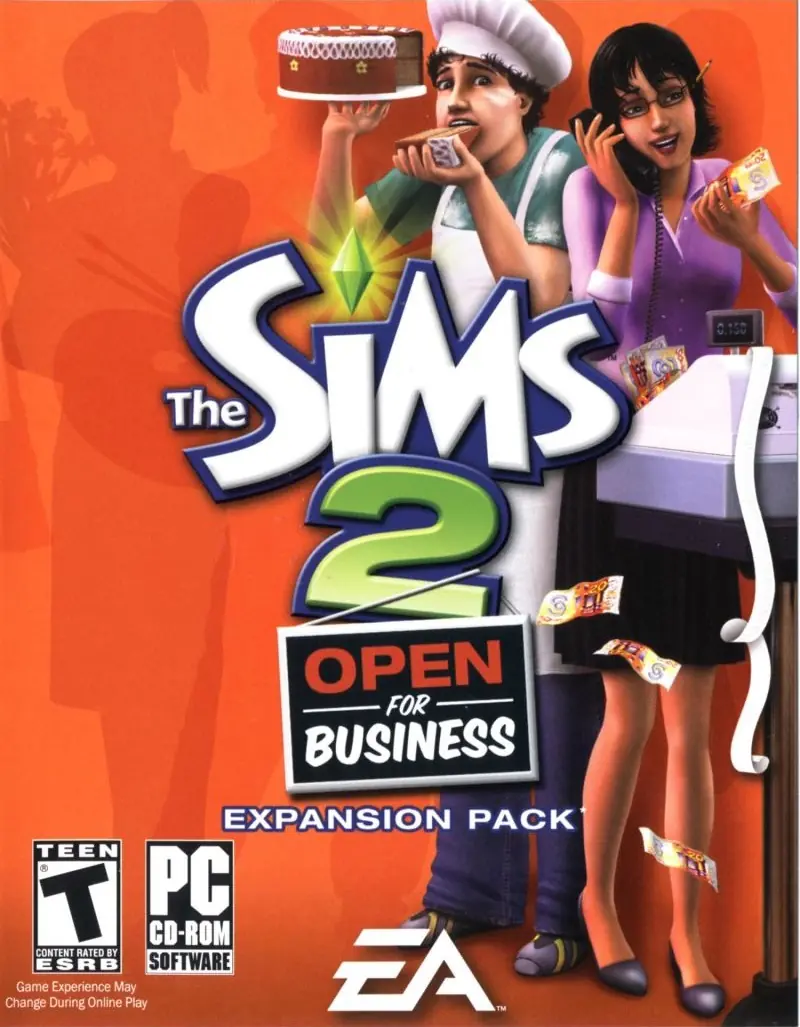
The Sims 2: Open for Business

The Sims 2: Open for Business Game Cover
4.5/5 - 29 votes

The Sims 2: Open for Business is a 2006 simulation game developed by Maxis Redwood Shores and published by Aspyr Media.

Other Titles

The Sims 2: Ve Světě PodnikáníDe Sims 2: Gaan het makenDie Sims 2: Open for BusinessLes Sims 2: La bonne affaireLos Sims 2: Abren negociosTS2:EP3TS2:OfBThe Sims 2: Aberto para negóciosThe Sims 2: ArbetslivThe Sims 2: Funky BusinessThe Sims 2: Kauppa aukiThe Sims 2: Vár az ÜzletThe Sims 2: Własny BiznesThe Sims 2: БизнесThe Sims 2: עושים עסקים模拟人生2 我要开店Les Sims 2 : La Bonne AffaireThe Sims 2: Megnyitottunk – Vár az üzlet!سیمز ۲: تجارت آزادเดอะซิมส์ 2 เปิดโลกธุรกิจ เนรมิตฝัน模擬市民2:開店達人심즈 2: 나도 사장님

Genres
Released
Platforms
Download

About The Sims 2: Open for Business

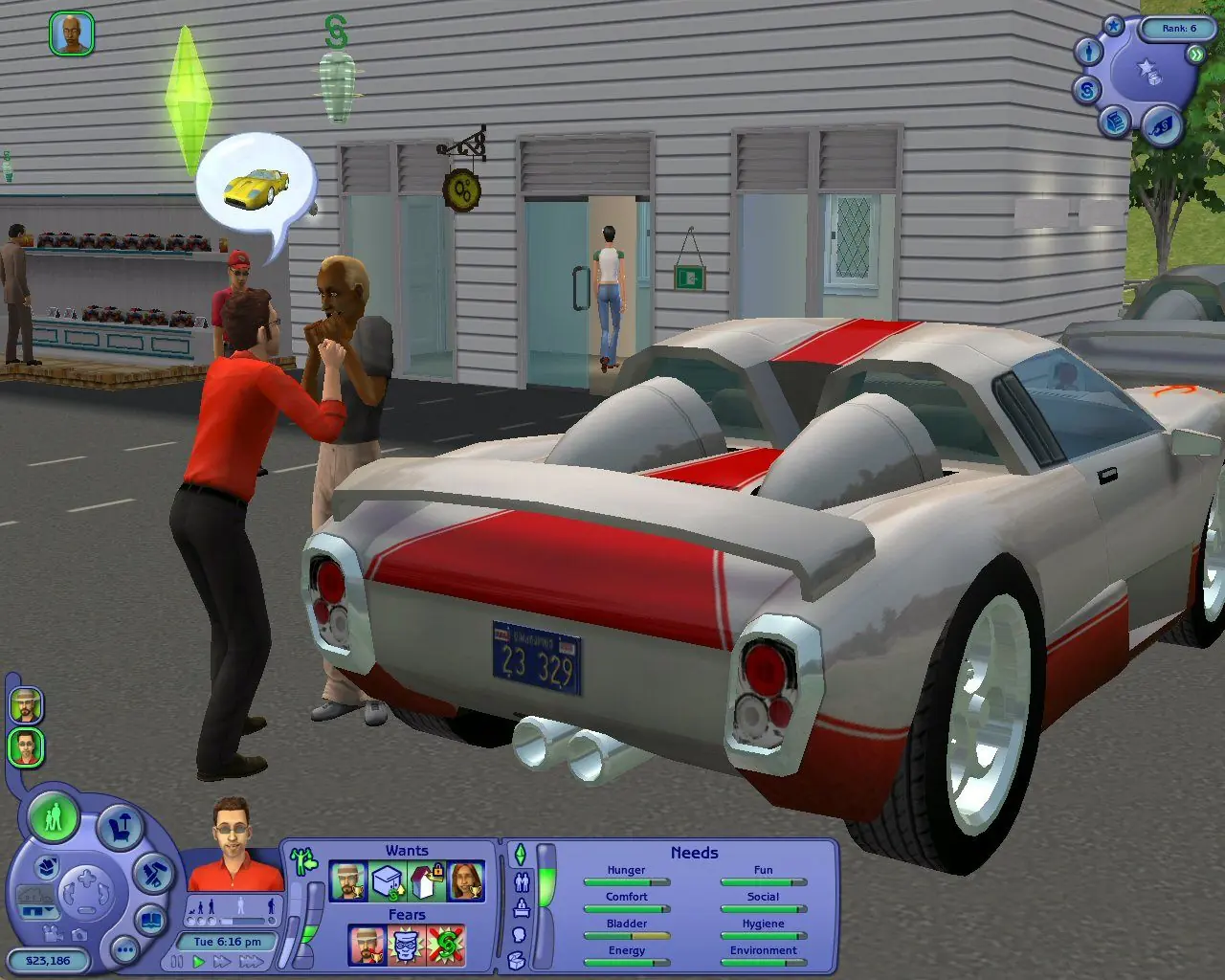
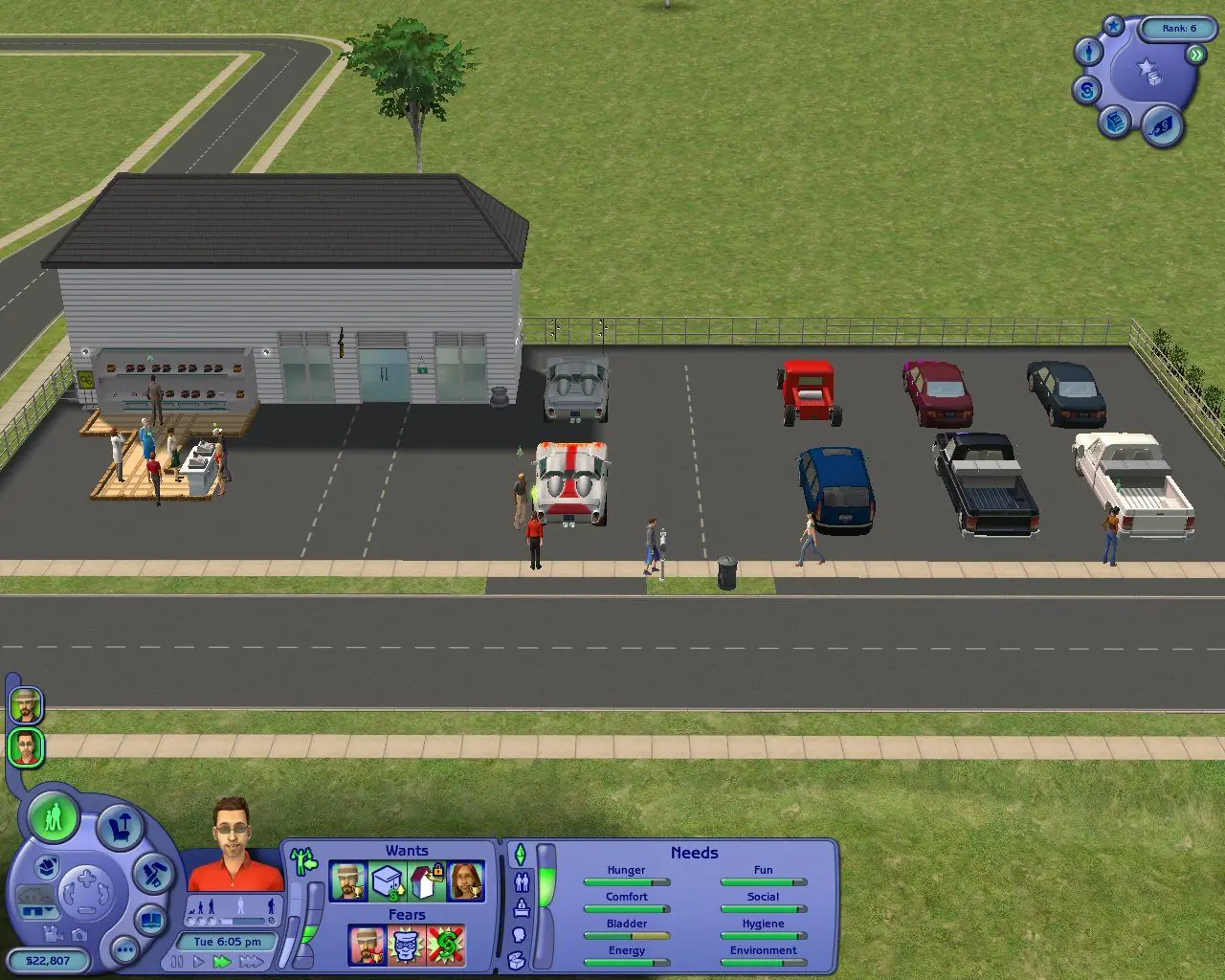
It's time to go to work, in this third retail expansion pack for The Sims 2. While occupational settings have been highlighted in handheld editions of the title (and celebrity Sims were expected on the set in the original game's Superstar add-on), Open for Business is the first home computer Sims game designed to focus on "the daily grind." Players who once wondered what their favorite characters were doing for those six or eight hours they spent away from the house each day can now find out, first-hand, by following their Sims to work.

Not all of the traditional Sims careers are represented in the add-on's new features, but a number of new employment opportunities are presented. Sims can open their own shops and restaurants, and lead their business to great success (or dismal failure!) through careful management and competent customer service. As the boss of their new businesses, players' Sims are responsible for hiring and firing. Some employees are dedicated to their duties while others just put in time for a paycheck, so grooming an efficient staff can be a rewarding challenge.

Like earlier Sims expansion packs, Open for Business adds over 100 new objects to the game, many of which can be used at home as well as at work. Cash registers and service counters, awnings and elevators, and a wide selection of costumes and uniforms become available with the add-on. As in University and Nightlife, new areas are offered for builders, where they can custom-create the retail shop of their Sims' dreams.
Screenshots

Windows

The Sims 2: Open for Business — Windows screenshot 1The Sims 2: Open for Business — Windows screenshot 2The Sims 2: Open for Business — Windows screenshot 3

Download The Sims 2: Open for Business

The Sims 2: Open for Business was re-released and is no longer abandonware. You can purchase the game from:

Windows

* We may earn a commission if you buy through these links.
Comments

22 thoughts on “The Sims 2: Open for Business”

  1. 0
    The installations terminate after asking me to ensure that the product is up-to-date saying that the st2upt.exe won’t work
    When I troubleshoot the setup it says that the product is corrupt
    .windows 8.
    Reply
    • 0
      I’m having the exact same issue on the latest windows. It says it needs to check the game is up to date then when it can’t it terminates the download
      Reply
      • 0
        1. **Skip the Auto-Update**: Sometimes, the auto-update feature doesn’t work well with newer systems. Instead of allowing the installer to update automatically:
        – After the expansion finishes installing and the update prompt appears, **don’t press OK**.
        – Instead, **manually close the installer** using the Task Manager (press `Ctrl + Shift + Esc`, find the installer under the “Processes” tab, and end it).
        I hope it works with u too
        Reply
  2. 0
    Having trouble installing this expansion pack, because it keeps asking me to insert TS2 DVD (which I have installed the base game from this site’s download) and replacing the exe does nothing (or I’m doing something one). And replacing the OFB crack also tells me there’s not enough free space on OFB drive. What do I do? 🙁 🙁 🙁
    Reply
    • 0
      if you installed The Sims 2 with an ISO you will need to use that format to work with it. you need to download an ISO application to work with the file. like power iso. aka Somthing that you can Mount the iso with to a virtual drive. from there you can see inside the ISO and play your game. As for OFB having a crack. inside the folder where you “installed” OFB. replace the exe. if it says you have no free space the actual hard drive might be in FAT32 format or you are actually out of space…
      Reply
    • 0
      the bin file can also be mounted for installation or you can make it into an ISO. for example you can use a program to mount the sims 2 iso and the bin file at the same time. if it allows more than 1 virtual drive and understands the formats.
      Reply
  3. 0
    Does anyone have an issue here like mine. I installed this expansion pack to my Seasons Collection but it did not showed up. Any suggestion how can i fix that?
    Reply
  4. 0
    I got the pack to install and even start up. But after the first video and loading screen, before it gets to the main menu, it stops working and gives an error without any description. Could it be that my graphics card won’t run the game? How can I fix this?
    Reply
  5. 0
    Omg it worked! Love this site!
    However, if it’s not working for you, follow these instructions:
    Download the zip file.
    Extract it using 7zip or by right-clicking and ‘Extract All’.
    Go inside the extracted folder, then go to Game Files.
    Here’s where it’s a bit different, as this expansion doesn’t use the ISO format.
    There are two files: a .bin file and a .cue file.
    Download WinCDEmu.
    Go to either file (it doesn’t really matter) and right click it.
    Now click ‘Select drive letter & mount’.
    Choose a drive letter and then press OK.
    Now the installer window should come up, if not go inside the mounted drive and open AutoRun.exe.
    Follow the installer instructions.
    Once installation has finished, Select the check box next to ‘Quit’ at the end.
    Now go back to your extracted zip file you downloaded, and make sure you are in Game FilesNoCD.
    Right-click Sims2EP3.exe and click ‘Copy’ (or single-click the file and press Ctrl+C).
    Now go to C:Program Files (or Program Files x86)EA GAMESThe Sims 2 Open For BusinessTSBin.
    Right click an empty space and click ‘Paste’ (or press Ctrl+V).
    Confirm that you want to replace the file.
    You should now be able to run The Sims 2 Open For Business!
    Keep in mind that I was stuck for AGES, but when I tried this method it worked.
    Hope it works for you!
    Reply
    • 0
      I’m following the installer instructions but before once it finishes downloading, before the install finalises, a message pops up saying ”This product will now ensure that your existing installation is up to date” and proceeds to ask me to enter the sims 2 DVD. As I have the downloaded version of the sims 2, I have to cancel it. But this causes another message to pop up saying ”The update process did not complete successfully. Installation will now terminate” and proceeds to uninstall everything it just installed without me being able to intercept or stop it. I have tried using Virtual CloneDriver to trick the client into thinking there is DVD present however this just makes the client start to update but then give me the same message that the install has failed before it proceeds to uninstall everything again. please help!!
      Reply
  6. 0
    I installed and started the game and got as far as the loading main loading screen but then an empty windows error box pops up and shuts the whole thing down. Am I missing something?
    Reply
  7. 0
    For anyone who suffered the same issue as me, just mount the “.bin” file onto a drive and it’ll still work. The files aren’t corrupted, they’re just being read differently but they work the same. Happy Piratin’!
    Reply
    • 0
      I believe I installed it (that which is mountable has been mounted), but when I open my game, it doesn’t register that Open For Business has been installed. What is the missing step here? How do I connect it with the base game?
      Reply
  8. 0
    Been following the instructions I found here: https://oldgamesdownload.com/the-sims-2/
    I have extracted and mounted the file, I also opened the Serial txt file and wrote it in the file on Support >> The Sims 2 Open for Business_code but this is where it doesn’t work. The installation pops up and I enter the code, click next and then the installation just shuts down. No message or anything. I then try to start the game but it just comes up a box with a red X and “ok” and then it shuts down too. The game is neither installed or placed in the Program (x86) folder.

    Help?

    Reply