The Urbz: Sims in the City
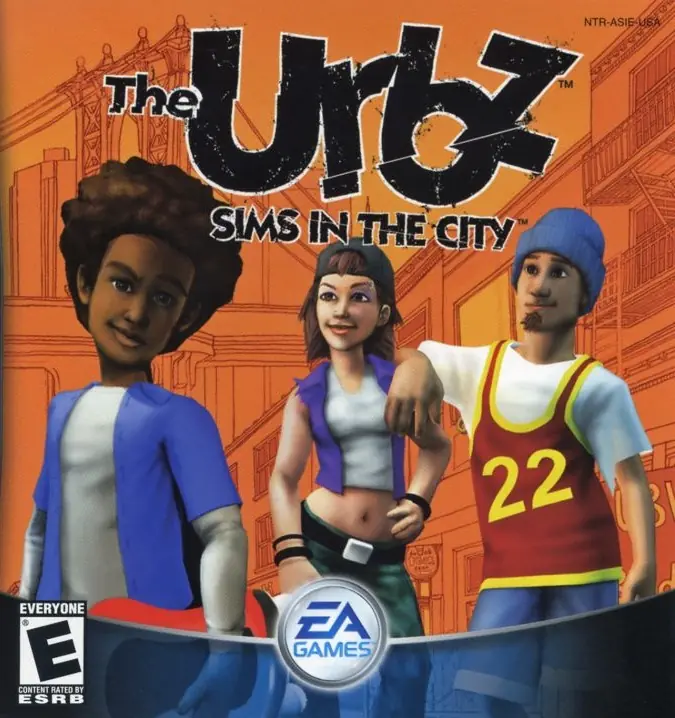
The Urbz: Sims in the City is a 2004 strategy game developed by Griptonite Games and published by EA Games.
Genres
Publishers
Developers
Released
Platforms
The Urbz: Sims in the City is a 2004 strategy game developed by Griptonite Games and published by EA Games.
The Urbz: Sims in the City is a life simulation video game that was released in 2004 for the Xbox, PlayStation 2, Nintendo GameCube, Game Boy Advance, and Nintendo DS.
The main protagonist of the story moves from his and or her mother's house to Simcity, where he or she moves into an apartment in the city. In the intro, the protagonist decides to go clubbing. Once the protagonist gets to the club, he or she is rejected because they fail at performing a dance move. However, will.i.am of the Black Eyed Peas, along with the other members of the band, arrive at the club and help the protagonist enter. After the intro, a few days later the protagonist goes home and is greeted by Will and his friend Darius, who is the most popular person in Simcity. After showing off their guitar moves, Darius welcomes the protagonist to the city and they leave. Later on, it is discovered that Darius is missing parts from his secret machine. He promises the protagonist that if they find the parts, he will have a special surprise for him or her. After defeating the villains in the game's districts, the protagonist is asked to come to the penthouse owned by Darius. After arriving at the penthouse, he or she is greeted by Darius, along with the faction bosses from the city districts, and is given a key by Darius to the penthouse. Afterward, Darius leaves the city on his blimp to travel to Miniopolis.
The Urbz: Sims in the City is abandonware and no longer sold or supported by its publishers. Files are archived here for these platforms:







For anyone wondering: I downloaded emulator “Play!”, it was the easiest way for me
I just cant pass the player selection part…
You will need an EMULATOR of whatever console you choose to play with, if you’re downloading a console version of a game.
You can’t just simply expect an .iso file of a console game to work on a PC.
Google is your friend, use google, ask google things like “how do I play a ps2 game on PC?”
Once emulated, you can play normally like any game made for PC.