Home » Games » Disney’s Hercules

Disney’s Hercules

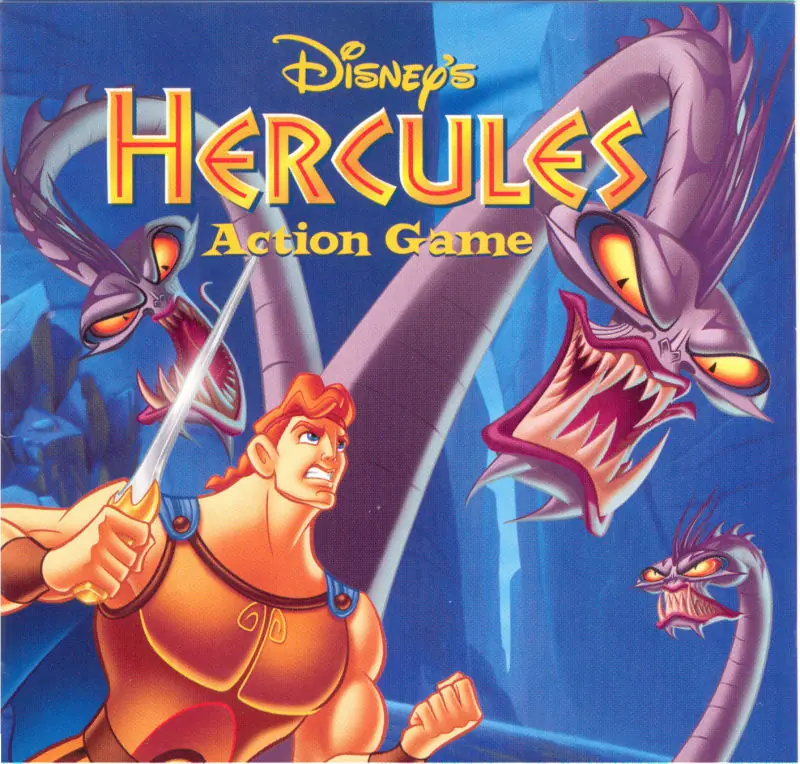
Disney's Hercules Game Cover
4.6/5 - 316 votes

Disney's Hercules, known in Europe as Disney's Action Game Featuring Hercules, is an action game for PlayStation and Windows based on the animated film. Disney Interactive released it on June 20, 1997.

Other Titles

Disney Action Game: Disney presenta HerculesDisney Juego de Acción: Disney presenta HerculesDisney's Action Game met HerculesDisneys Action Spil med HerkulesDisney Jeu d'Action - Disney présente HerculeDisney's Action Game Featuring HerculesDisney's Hercules Action SpielDisneys action spel med HerkulesHercules Action GameГеркулес. Новые подвигиדיסני הרקולסDisney Jeu d'Action: Disney présente HerculeDisney Juego de Acción Disney presenta HerculesDisney's Hercules Action GameHerculesHerculeHérculesديسنيس اكتيون جام فايتورينج هيركوليسهرقل ديزنيهرکول

Released
Platforms
Download

About Disney’s Hercules

The game follows the same storyline as the animated film. Hercules, son of Zeus, is stripped of his godhood and must prove that he is a true hero in order to regain his immortality, and join Zeus and the other gods on Mount Olympus. To do that, Hercules must pass several tasks and defeat many villains, and in the end, face Hades, the ruler of the underworld, who is also responsible for Hercules' loss of immortality.

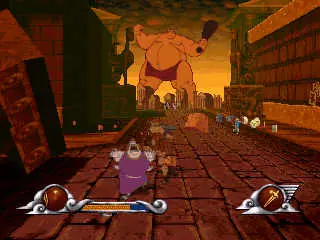
The game is mainly two-dimensional, although the player can walk to other planes via pathways or stairs in many missions. There are ten levels and three difficulty modes: Beginner, Medium, and Herculean. The last two levels are playable only on Medium and Herculean difficulties. There are three rush levels in the game in which the player must run forward through the map and avoid obstacles without being able to stop or fight.

The player's health can be increased by picking up Hercules Action Figures and drinking Herculade cups found throughout the game. The player's main weapon is the sword; Hercules can also punch, but this is a much more difficult way to defeat enemies. Temporary weapon power-ups, known as "Gifts of the Gods", can be found throughout the game. These include the Lightning Sword, which shoots lightning in whichever direction Hercules aims; the Fireball Sword, which shoots fireballs that seek out onscreen enemies; and the Sonic Sword, which affects enemy targets at close range with a circular sonic blast; the Cap of invisibility, which grants the player a few seconds of invulnerability when activated. Power-ups have limited action, and once their energy has depleted, they can no longer be used.

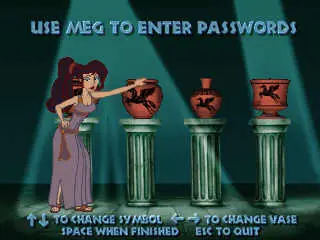
In many levels, there are hidden letters that, if collected, will form the word HERCULES and allow the player to spawn directly at the next level, instead of starting the game over from the beginning. There are also four hidden vases in each mission that, upon collection, will give the player a password save for the current level. Most of the bosses cannot be defeated by conventional fighting and require the player to perform special actions to pass. Among the enemies that Hercules faces are Nessus the Centaur, the Minotaur, the Harpies, the Hydra, the Stymphalian birds, the Thebans, skeleton warriors, Medusa, Hades, several Titans, and a Cyclops.
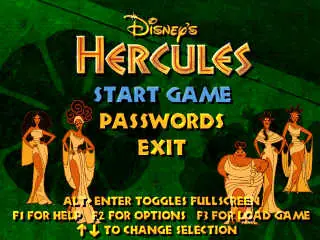
Screenshots

Windows

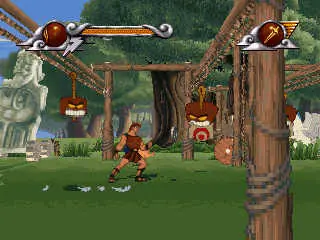
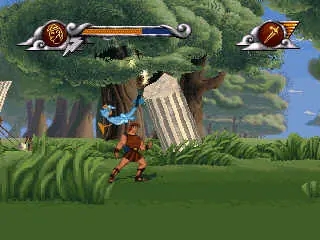
Disney’s Hercules — Windows screenshot 1Disney’s Hercules — Windows screenshot 2Disney’s Hercules — Windows screenshot 3Disney’s Hercules — Windows screenshot 4Disney’s Hercules — Windows screenshot 5

Download Disney’s Hercules

Disney’s Hercules is abandonware and no longer sold or supported by its publishers. Files are archived here for these platforms:

Windows (1997)

  • Disneys_Hercules_Win_ISO_EN.zipEN226.77 MB
  • Instructions Disneys_Hercules_Win_ISO_EN.zip

    How to play on Windows (deprecated)

    1. Download the "Disneys_Hercules_Win_En.zip" file from the link above. Make sure you download the file properly and that your internet does not disconnect while downloading.
    2. Open the downloaded .zip file and extract the "Disneys_Hercules_Win_En" folder to your desktop. You will need to use a software such as WinRAR to do this.
    3. Open the extracted "Disneys_Hercules_Win_En" folder and then open the "Game Files" folder.
    4. For Windows XP/Vista/7: Double click on SETUP.BAT and allow it to make the changes to your registry. You can now launch the game by double clicking on "HERCULES.EXE".
    5. For Windows 8/10: Double click on "SETUP_WIN10.BAT". If you get an error, then double click on "herc_win10.reg" and allow it to make the changes to your registry. You can now launch the game by double clicking on "HERCULES.EXE".
    6. Enjoy the game!
    7. Note 1: When the game launches, you might have graphics problems in full-screen. When it's in full-screen you want to press "Alt+Enter" to make it windowed, and then you can make the windowed resolution "640x480".
      Note 2: Music is not included but sound effects should work.

Comments

36 thoughts on “Disney’s Hercules”

  1. 0
    they say the link’s not available now!!!
    i used to play this game when i was kid….. want to play it again..can anyone help me with it please??
    Reply
  2. 0
    The game closes immediately after starting on (windows 10). no matter how fast I press alt+enter. This seems to happen on all old-ish games
    Reply
  3. 0
    “Cannot import herc_win10.reg: Error opening the file. There may be a disk or file system error.”

    This pops up when I do step 5. How can I do it manually instead? Thanks.

    Reply
    • 0
      I´ve Download a copy of it. How may I know it really had a trojan that infected me instead of my antivirus? Can you help me to remove it? At least the game works huahua
      Reply